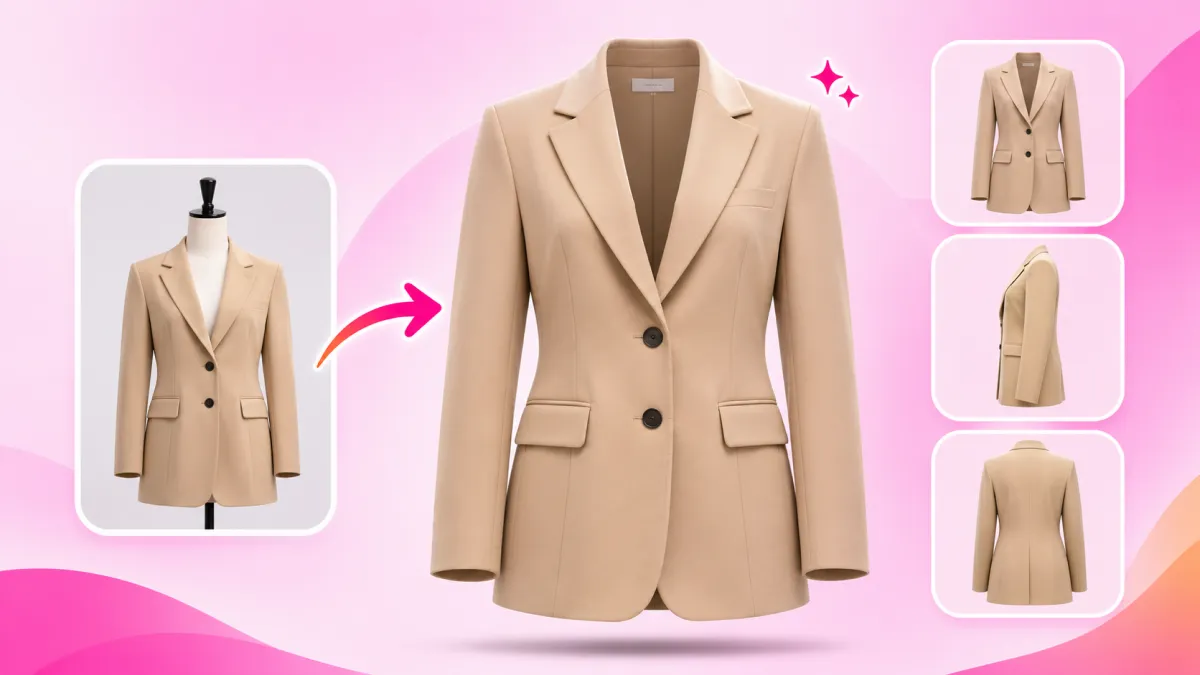
In online fashion and apparel e-commerce, your imagery carries the impossible burden of replacing the fitting room. When shoppers browse dresses, jackets, or streetwear on your Shopify store, they face an immediate sensory deficit: they cannot touch the fabric, evaluate the collar stiffness, or examine how the shoulders sit in three dimensions.
While flat-lay shots and plastic hanger photos are quick to capture on a smartphone, they flatten garments into lifeless, wrinkled 2D outlines. This lack of structural clarity breeds buyer hesitation and fuels an agonizing 38% e-commerce return rate, as confused shoppers either abandon carts or order multiple sizes only to send the majority back.
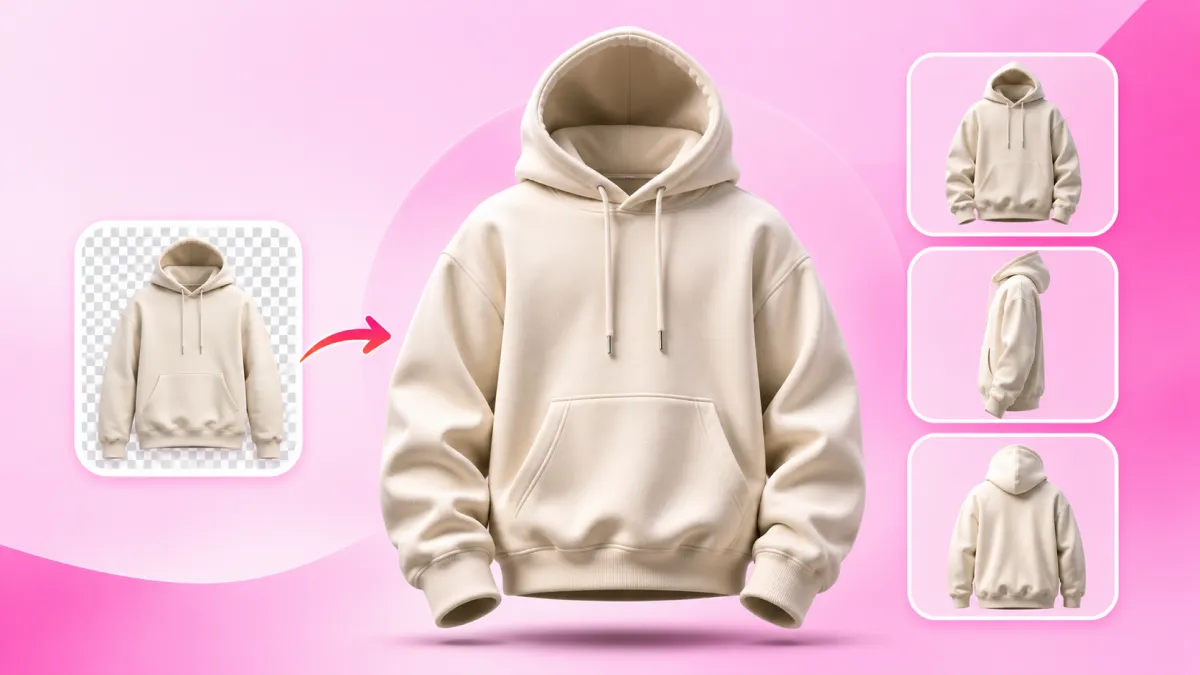
For decades, premier fashion houses and major retail platforms solved this challenge with Ghost Mannequin photography (also known as the *invisible mannequin* or *hollow man* technique). By dressing clothes on physical mannequins and digitally erasing the synthetic neck, arms, and torso, brands showcase garments with lifelike 3D human volume—revealing interior collar branding, tailored linings, and realistic drape simultaneously.
Yet traditional ghost mannequin production was prohibitively expensive for growing DTC labels. Booking studio bays, purchasing modular magnetic mannequins, and paying Photoshop retouching agencies $5 to $15 per photo for manual neck joints added weeks of friction to collection drops. With SocialShot AI Studio on Shopify and our web-based AI Ghost Mannequin tool, merchants can now generate runway-grade 3D hollow mannequin imagery directly from raw smartphone shots in under 60 seconds.
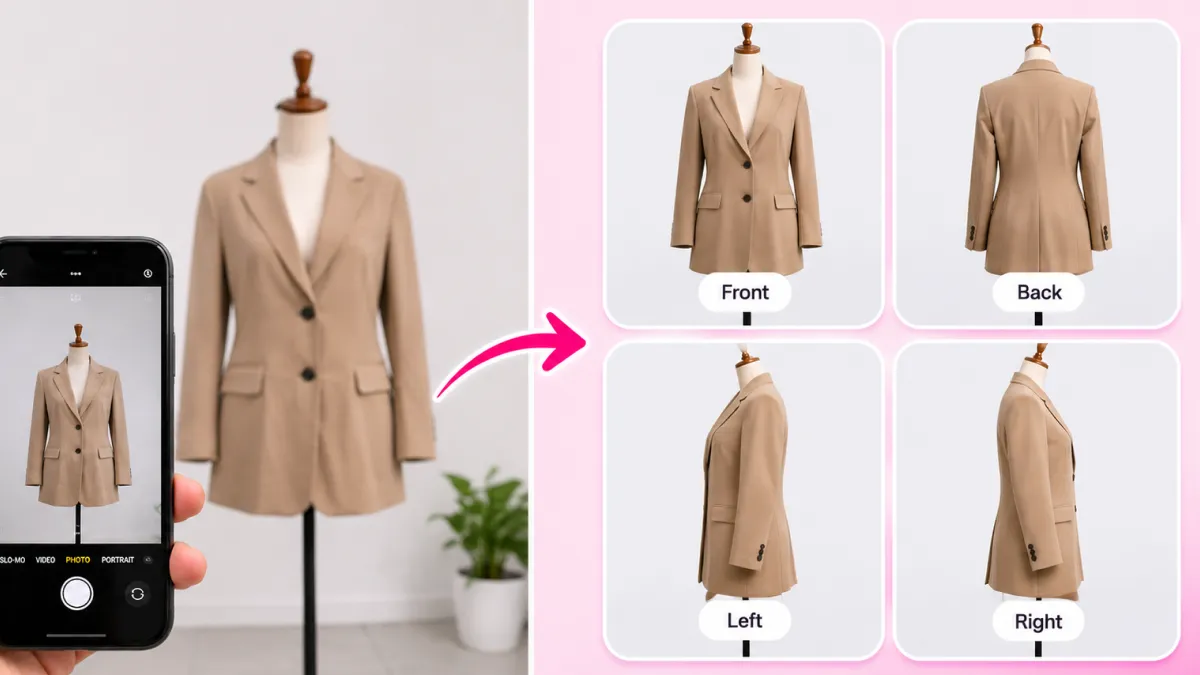
How It Works: From Flat Lay to 100+ Studio Poses
Transform flat lays, hanger photos, or single model shots into a complete multi-angle commercial lookbook in under 2 minutes.
Upload Raw Photo
Snap a smartphone flat lay, hanger photo, or single model shot on any background.
Select Poses & Models
Pick from 100+ natural poses, diverse photorealistic models, and editorial studio lighting angles.
Export 4K Lookbook
Download high-res assets formatted for Shopify galleries (1:1), Meta feeds (4:5), and TikTok (9:16).
Why Flat Lays and Hangers Kill Apparel Conversions (The 38% Return Trap)
Every fashion merchant knows the temptation of flat-lay photography. Laying a blazer or hoodie flat on a wooden table takes five minutes and requires no modeling fees. But to online consumers, flat clothing provides zero contextual feedback on fit, drape, and anatomical silhouette.
When fabric is pressed flat against a table, key structural cues vanish: armholes look deceptively narrow, waist tapering disappears, and waistbands bunch unnaturally. According to e-commerce consumer usability studies by the Baymard Institute, over 62% of online apparel shoppers report hesitation when evaluating garments displayed solely in flat lays.
This visual ambiguity triggers 'bracket ordering'—where customers purchase sizes S, M, and L simultaneously, try them on at home, and return two or all three items. By switching your catalog to 3D ghost mannequin photography, you give shoppers the exact anatomical volume of a live model combined with the distraction-free clarity of a pure product view.
The Performance Gap: Flat Lay vs. 3D Ghost Mannequin
- Conversion Rate Lift: Shopify product pages featuring 3D ghost mannequin views convert 1.8x to 2.3x higher than flat-lay listings.
- Return Rate Reduction: Demonstrating natural sleeve depth, shoulder drop, and waist tapering cuts sizing-related returns by up to 40%.
- Perceived Garment Value: 3D volume, visible inner lining, and crisp collar architecture justify 30% to 50% higher price points.
- Marketplace Eligibility: Ghost mannequin photos on pure white backgrounds meet 100% of Amazon, Google Shopping, and Zalando feed standards.
The 6 Essential Ghost Mannequin Views for High-Converting Shopify PDPs
A single front-facing photo is no longer enough to win the trust of modern fashion buyers. To replicate an in-store inspection, top-tier Shopify apparel stores deploy a disciplined multi-angle sequence.
SocialShot's AI Ghost Mannequin tool provides automated framing across 6 commercial view types, allowing you to build an editorial-grade lookbook without repositioning physical lighting rigs:
The 'Golden Sequence' for Product Galleries
Organize your Shopify gallery as: 1. Front View (Hero) -> 2. Three-Quarter (Dynamic) -> 3. Back View -> 4. Side Profile -> 5. Detail Macro. This structure mimics how a customer naturally handles a garment in a physical boutique.
Zero Distortion Across All Angles
SocialShot preserves exact garment silhouette, color tones, embroidery threads, and graphic prints across every angle, eliminating the warping common in generic generative models.
| View Type | Camera Angle | Strategic Purpose on Shopify PDP | Conversion Impact |
|---|---|---|---|
| Front View | 0° Straight-On | Primary hero image; shows neckline balance, buttons, and torso proportion. | High (First Impression) |
| Back View | 180° Rear | Reveals yoke construction, spine seam taper, rear pockets, and hemline drop. | Critical (Fit Clarity) |
| Left Side Profile | 90° Left | Displays sleeve curvature, armhole depth, and side slits. | Medium (Anatomical Depth) |
| Right Side Profile | 90° Right | Completes 360° symmetry; inspects cuff drape and side zippers. | Medium (Inspection) |
| Three-Quarter (3/4) | 45° Dynamic | Simulates runway movement; shows how fabric flows between front and side. | Very High (Editorial Appeal) |
| Detail / Macro | Extreme Close-Up | Highlights stitching density, inner woven labels, zippers, and fabric grain. | High (Quality Validation) |
Solving the Neck Joint: How AI Merges Front and Back Collars Instantly
In traditional apparel photography, the 'neck joint' (or collar composite) is the most notorious production bottleneck. When a shirt or jacket is styled on a plastic mannequin, the mannequin's synthetic neck obscures the interior back collar, the brand label, and the inside fabric lining.
To fix this, traditional retouchers had to take two separate photographs: first, the garment on the mannequin, and second, an inside-out shot of the collar lining. A Photoshop artist would then painstakingly draw pen tool clipping paths, composite the two layers together, paint synthetic drop shadows, and color-balance the inner neck. At $5 to $15 per photo, this manual workflow drained marketing budgets and stalled launches.
With SocialShot AI Studio on Shopify, this multi-hour chore is handled in seconds. SocialShot's neural garment architecture automatically detects the inner collar boundary, seamlessly merges the front neckline with realistic interior depth, preserves brand typography on woven labels, and renders realistic contact shadows with zero visible seams.
Pro Tip: If your garment has custom neck tags or printed size labels, SocialShot's strict product preservation keeps the typography sharp, legible, and completely unblurred.
Mastering Commercial Backgrounds: Pure White, Transparent PNG, and Studio
An exceptional ghost mannequin cutout is only as effective as the environment behind it. Depending on whether you are preparing product feeds for Amazon, designing lookbook collages, or running paid Instagram ads, your background requirements change dramatically.
SocialShot provides built-in 1-click background swapping tailored for e-commerce workflows:
| Background Preset | Visual Characteristics | Primary Sales Channel | Key Advantage |
|---|---|---|---|
| Pure White (#FFFFFF) | Zero distractions, perfectly neutral, 100% white. | Shopify Catalog, Amazon, Google Shopping | Complies with strict marketplace indexing rules. |
| Transparent (PNG) | Alpha channel cutout with preserved interior volume. | Lookbooks, Ad Creatives, Email Newsletters | Drag-and-drop into Canva, Figma, or custom layouts. |
| Light Gray / Off-White | Subtle warm-gray tone with soft diffused floor shadow. | Luxury Boutiques, Editorial Streetwear | Communicates high-end designer sophistication. |
| Studio & Commercial | Cinematic softbox lighting with realistic floor bounce. | Homepage Banners, Collection Heroes | Gives catalog shots a high-budget editorial aesthetic. |
| Custom & Reference | Prompt any tailored environment or copy reference lighting. | Seasonal Marketing Campaigns, Social Feeds | Matches your brand's unique color palette perfectly. |
Step-by-Step: How to Generate 3D Ghost Mannequin Photos with AI
You do not need a commercial photography studio, professional strobe lights, or modular mannequins to create high-converting catalog assets. The entire workflow takes less than 2 minutes directly from your phone or desktop:
Step 1: Capture Raw Garment Photos — Hang your shirt, jacket, or dress on a simple plastic hanger against any plain door, or lay it flat on a clean table. Use natural window light and keep your smartphone parallel to the garment.
Step 2: Upload to SocialShot — Open SocialShot AI Ghost Mannequin in your browser or launch SocialShot AI Studio on Shopify inside your store admin.
Step 3: Select Desired View & Background — Choose your camera perspective (Front, Back, Left Side, Right Side, 3/4, or Detail) and select your backdrop (Pure White, Transparent PNG, or Studio).
Step 4: Generate & Sync to Storefront — Click generate. In seconds, SocialShot's AI removes the hanger, infills the 3D anatomical volume, generates a seamless neck joint, and exports a 4K commercial-grade image synced directly to your Shopify product listing.
Helpful Complementary Tools on SocialShot
- Need natural drop shadows under your transparent cutouts? Try our Free AI Shadow Maker.
- Want to see how clothes drape on real humans? Explore our AI Fashion Model Generator.
- Need multiple editorial poses from a single model photo? Use the Free AI Pose Changer.
- Converting mobile flat lays to on-model shots? Use our AI Flat Lay Clothing Tool.
The Winning PDP Formula: Pairing Ghost Mannequins with On-Model Imagery
A common debate among fashion e-commerce founders is whether to use ghost mannequin shots or live model photography. The world's fastest-growing DTC apparel brands have settled this debate: the highest conversion rates come from using both together in a hybrid gallery.
Live on-model photos (generated with SocialShot's AI Fashion Models) provide emotional aspiration, lifestyle context, and styling inspiration. Shoppers see a human wearing the outfit and imagine themselves wearing it on a night out or in the office.
Ghost mannequin shots, on the other hand, provide objective technical reassurance. They allow customers to inspect tailoring, silhouette lines, pocket placement, and fabric weight without human body shape biasing their judgment. By leading with an on-model hero shot and backing it up with 5 multi-angle ghost mannequin views, your Shopify store captures both emotional desire and rational purchase confidence.
Frequently Asked Questions
Can I create ghost mannequin photos from simple smartphone flat lays?
Yes. SocialShot's neural vision models are specifically trained to infer 3D anatomical volume from 2D flat lays or clothes hanging from everyday hangers, removing the need to buy specialized modular plastic mannequins.
Are the pure white background outputs compliant with Amazon and Google Shopping?
Absolutely. SocialShot's Pure White preset outputs true RGB (255, 255, 255) / HEX #FFFFFF backgrounds with no gray halos, satisfying 100% of Amazon, Google Merchant Center, and Walmart Marketplace product feed requirements.
How does SocialShot handle difficult garments like heavy hoodies and jackets?
Unlike generic background removers that collapse thick materials, SocialShot accurately models fabric weight and structure. For heavy hoodies and lined blazers, it preserves hood cavity depth, drawstring physics, metal eyelets, and interior lining textures.
Can I download transparent PNGs with realistic contact shadows?
Yes. You can export transparent PNGs with clean alpha channels for drag-and-drop catalog design, and pair them with our Free AI Shadow Maker to generate realistic contact and drop shadows on any web page.
How does the Shopify app streamline catalog updates?
With SocialShot AI Studio installed on Shopify, you can select existing product listings, generate 3D ghost mannequin shots across all 6 angles, and update your live storefront galleries with one click—saving hours of manual file renaming and re-uploading.
Final Thoughts
In modern fashion e-commerce, low-quality flat lays and wrinkled hanger photos are silent conversion killers. They erode brand credibility, suppress average order value, and saddle your business with painful returns.
Ghost mannequin photography provides the gold standard in apparel presentation: clean, 3D anatomical volume that showcases every seam, lining, and silhouette line with commercial perfection.
Stop paying $15 per photo to slow retouching agencies and eliminate the friction of modular studio mannequins. Install SocialShot AI Studio on Shopify today or test our free AI Ghost Mannequin tool to upgrade your entire clothing catalog into an editorial showcase in minutes.
Explore Free Creative AI Tools on SocialShot
Boost your store conversions with our free browser-based tools:
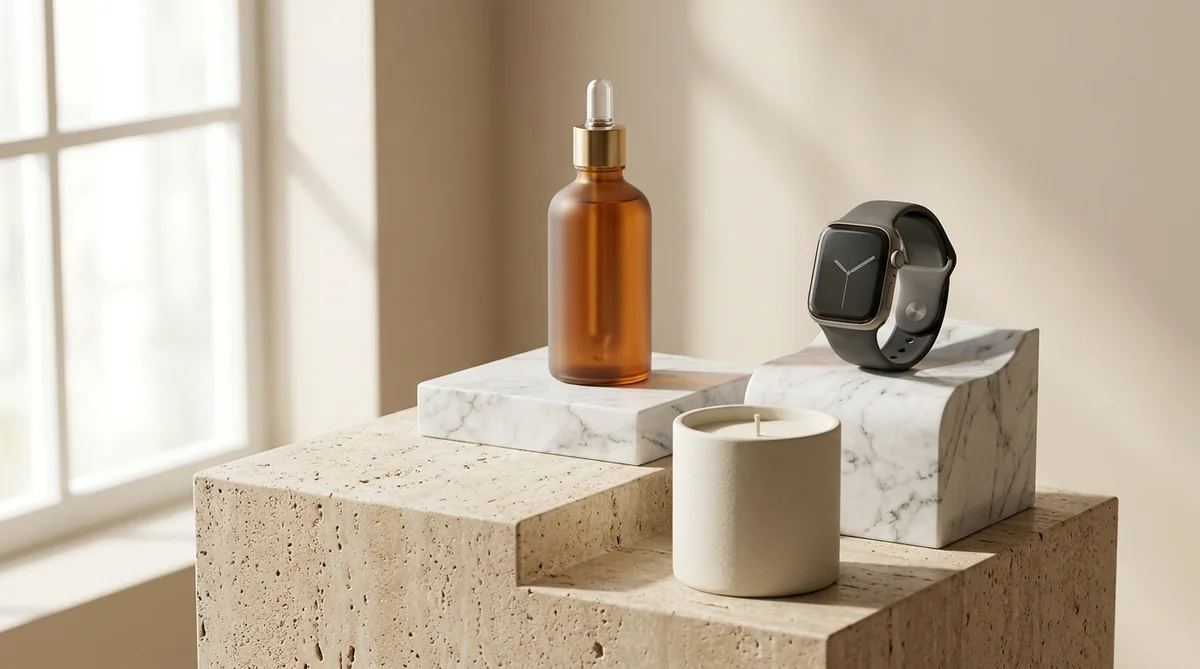
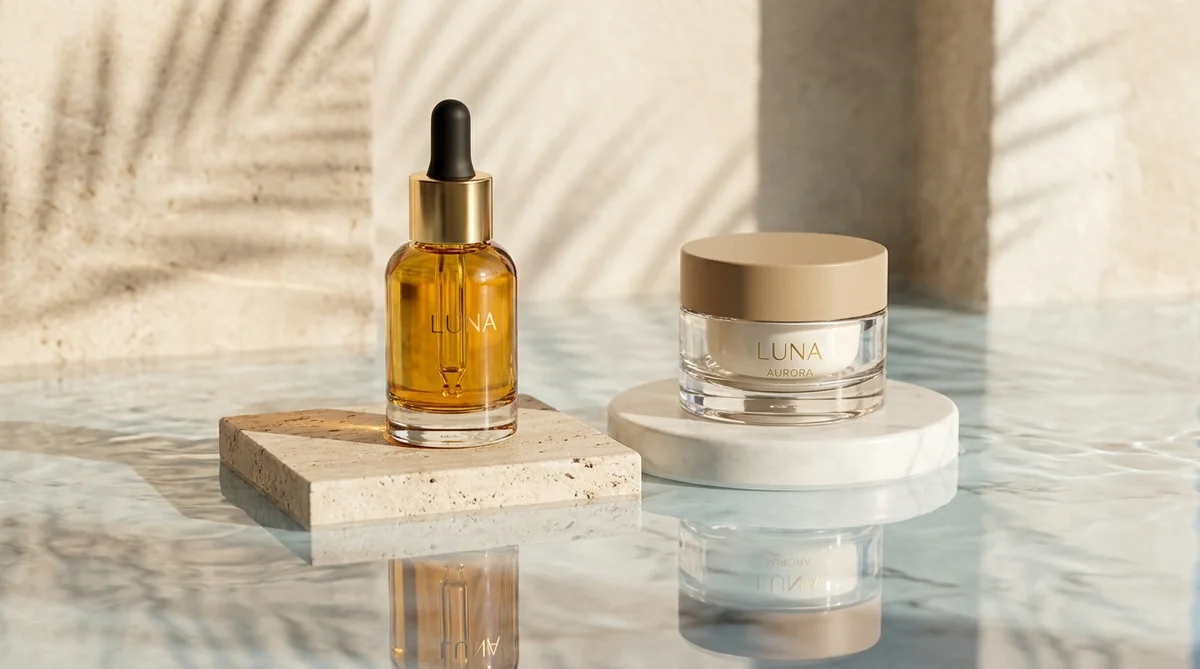
Studio-grade product shots with 23+ camera angles, marble pedestals, and natural lighting.
Turn 1 fashion photo into 100+ high-fashion poses and multi-angle catalog lookbooks.
Dress diverse, photorealistic AI fashion models with zero expensive photoshoots.
Generate physics-accurate contact and drop shadows for transparent product cutouts.