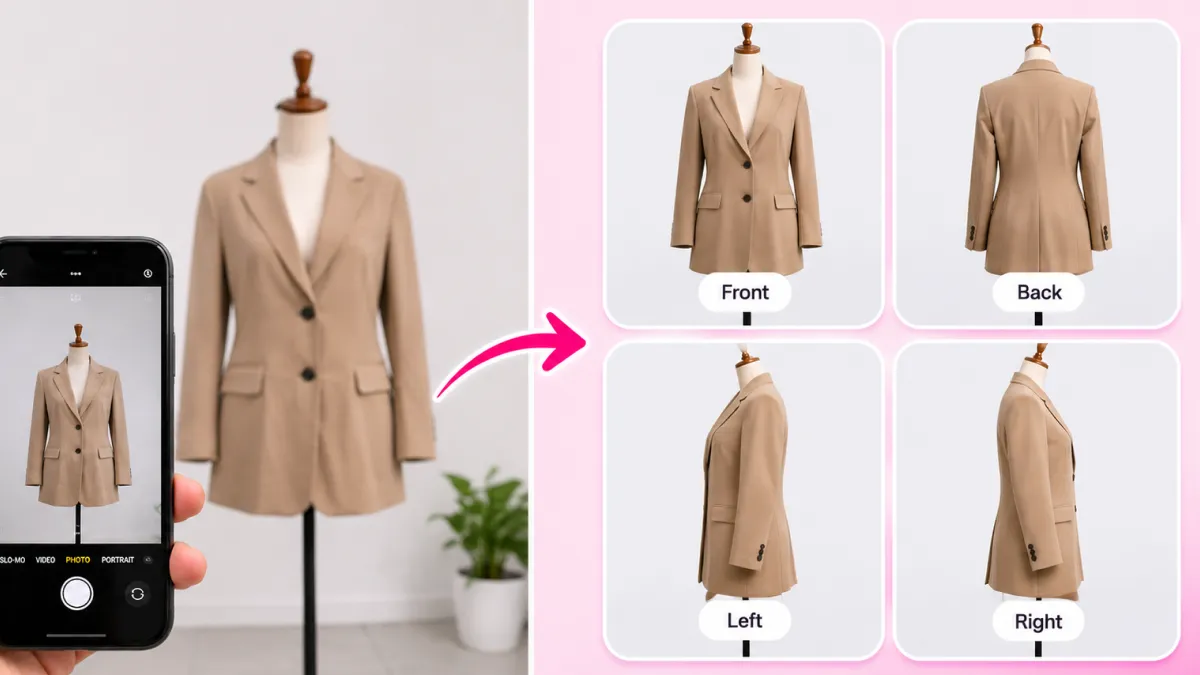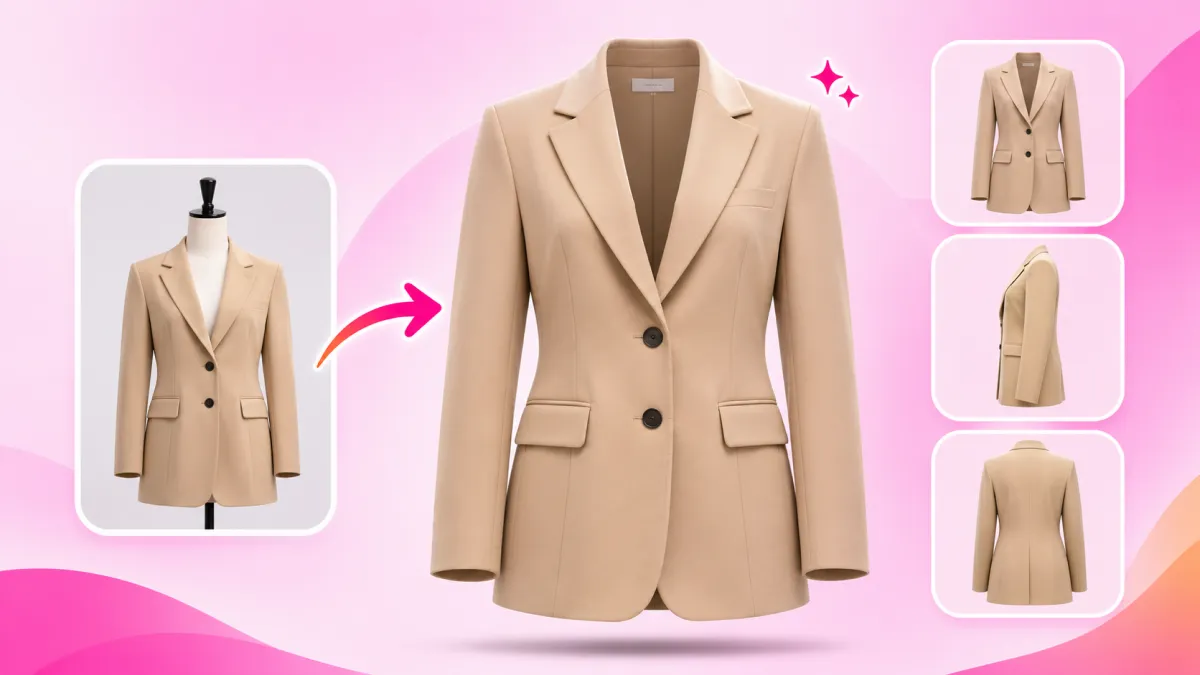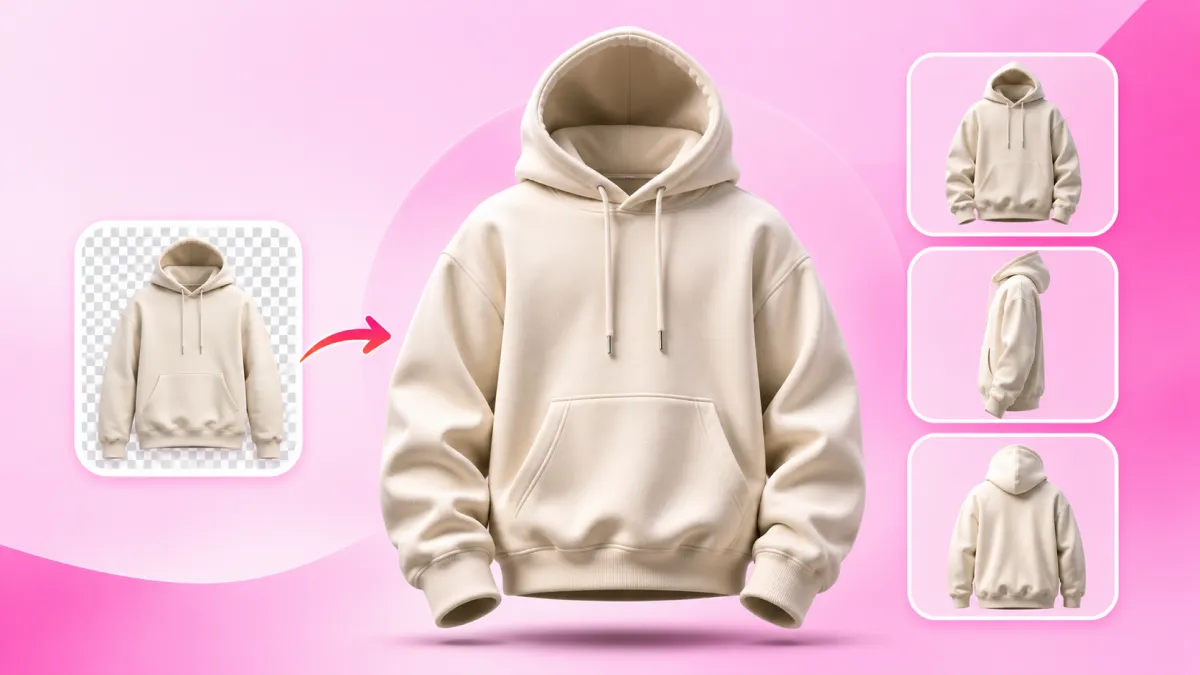
Streetwear brands live and die by fabric weight and silhouette. When customers pay $120 or $180 for an oversized hoodie, they want to see heavy cotton and real structure.
Flat-lay photos ruin heavy streetwear. Laying a 500 GSM hoodie on a floor makes it look like an empty gym bag with a flat, collapsed hood.
Ghost mannequin photography solves this completely. It gives your hoodie an invisible 3D human form so the hood stands tall, the shoulders drop naturally, and the sleeves stack properly.
You do not need to buy expensive mannequins or book studio lighting. With SocialShot AI Studio on Shopify and our web AI Ghost Mannequin tool, you can create deep 3D hollow hoodie photos from simple phone pictures in seconds.
How It Works: From Flat Lay to 100+ Studio Poses
Transform flat lays, hanger photos, or single model shots into a complete multi-angle commercial lookbook in under 2 minutes.
Upload Raw Photo
Snap a smartphone flat lay, hanger photo, or single model shot on any background.
Select Poses & Models
Pick from 100+ natural poses, diverse photorealistic models, and editorial studio lighting angles.
Export 4K Lookbook
Download high-res assets formatted for Shopify galleries (1:1), Meta feeds (4:5), and TikTok (9:16).
Why Flat Lay Photos Ruin Heavyweight Streetwear
Streetwear buyers care deeply about fabric density. A premium French terry hoodie feels substantial in your hands, but a flat photo removes all that perceived value.
The hood is always the biggest casualty in flat-lay shots. Real streetwear hoods have double-layered fabric that should stand upright, but on a table, they fold over like limp fabric.
Hangers are not much better for heavy fleeces. The sheer weight of 450+ GSM cotton stretches the shoulder seams and makes the neckline sag downward.
A 3D hollow ghost mannequin photo protects your garment design. It shows the exact boxy torso cut, kangaroo pouch depth, and rigid hood opening.
Key Takeaways: Flat Lay vs. 3D Hollow Hoodie Photos
- True fabric weight: 3D volume shows the natural stiffness of heavy cotton.
- Upright hood cavity: The hood stays open and structured instead of collapsing.
- Natural sleeve stacking: Ribbed cuffs and dropped shoulders fall with real gravity.
- Higher price power: Professional 3D photos justify $100+ price tags on your Shopify storefront.
The 3 Hardest Hoodie Details That AI Solves
Hoodies are much harder to photograph than plain t-shirts. Their thick seams, deep pockets, and loose cords create difficult shadows.
SocialShot's AI handles these three critical streetwear details automatically.
1. The Deep Hood Cavity
Old-school photographers used cardboard inserts and fishing line to keep hoods open. SocialShot's AI automatically generates realistic inner depth and shows your woven neck label clearly.
2. Heavy Drop Shoulders
Streetwear hoodies feature wider chest cuts and relaxed shoulders. Our model respects fabric physics so thick fleece drapes naturally without looking like cardboard.
3. Kangaroo Pockets & Drawstring Aglets
Standard background erasers blur metal tips and flatten pocket openings. SocialShot preserves sharp metal eyelets, clean aglets, and natural pocket shadows.
The 6 Angles Every Streetwear Drop Needs
Streetwear drops sell out fast when customers trust the quality. Showing your hoodie from multiple angles answers every fit question before buyers hesitate.
SocialShot's AI Ghost Mannequin tool produces 6 essential commercial angles in one click.
| Angle View | Camera Position | What It Shows Streetwear Buyers | Role in Drop |
|---|---|---|---|
| Front View | 0° Eye Level | Chest graphic print, pouch symmetry, and hood opening. | Main collection hero |
| Back View | 180° Rear | Large back graphics, hood drape over the yoke, and bottom hem. | Graphic showcase |
| Left Side Profile | 90° Left | Hood side profile, sleeve drape, and shoulder drop point. | Fit check |
| Right Side Profile | 90° Right | Arm seam alignment, cuff ribbing, and side silhouette. | Secondary inspection |
| Three-Quarter (3/4) | 45° Dynamic | Boxy depth and fabric thickness in natural perspective. | Lookbook feature |
| Detail / Macro | Close-up | French terry loops, custom metal aglets, and embroidery. | Quality proof |
Pro Tip: Always place your Back View right after the Front View if your hoodie has a large rear graphic print.
Best Backdrops for Streetwear Hoodies: Concrete, White, and PNG
Your photo background sets the brand tone. Clean white works for catalogs, while urban textures build brand prestige.
SocialShot gives you built-in commercial background presets designed for streetwear.
| Backdrop Preset | Visual Mood | Where to Use It | Core Advantage |
|---|---|---|---|
| Pure White (#FFFFFF) | Clean and minimal | Shopify catalog, Google Shopping | Passes all marketplace rules with zero distractions |
| Urban Light Concrete | Raw and architectural | Collection lookbooks, hero banners | Matches luxury streetwear aesthetics like Fear of God |
| Studio Softbox | Subtle floor shadow | Product detail pages (PDPs) | Adds realistic depth under the hoodie hem |
| Transparent PNG | Clean alpha cutout | Instagram stories, TikTok ads, Canva | Drag and drop onto custom campaign graphics |
Step-by-Step: How to Make 3D Hollow Hoodie Photos with SocialShot
You do not need an expensive photography bay or studio strobes. A smartphone and a hanger on a plain wall are all you need.
Follow these simple steps to build your next streetwear lookbook.
Step 1: Hang your hoodie — Place your hoodie on a sturdy plastic hanger against a plain door or wall. Let the drawstrings hang naturally and snap a straight photo.
Step 2: Upload to SocialShot — Open SocialShot AI Ghost Mannequin in your browser or launch our app directly inside Shopify.
Step 3: Select your angles and backdrop — Pick Front, Back, or 3/4 view and choose Pure White or Concrete.
Step 4: Download 4K assets — Click generate. SocialShot removes the hanger, adds 3D hollow body volume, and exports high-resolution images ready to publish.
Other Free Tools for Streetwear Brands
- Need natural contact shadows under cutouts? Use our Free AI Shadow Maker.
- Want to see hoodies on realistic streetwear models? Try our AI Fashion Model Generator.
- Need multiple editorial poses from one photo? Use the Free AI Pose Changer.
- Turning quick flat lays into model shots? Explore the AI Flat Lay to Model Tool.
The High-Converting Streetwear Product Page Formula
Leading streetwear brands use a smart mix of lifestyle and product photography. Combining both styles drives the highest conversion rates.
Start your gallery with an on-model lifestyle photo from our AI Fashion Model Generator. This delivers the attitude and styling vibe of your brand.
Follow immediately with 4 or 5 clean 3D ghost mannequin shots. This lets serious buyers inspect your heavy fleece, hood construction, and graphic prints without distractions.
Frequently Asked Questions
Can I create 3D hollow hoodie photos from quick phone snaps?
Yes. SocialShot turns basic smartphone photos taken on a hanger into professional 3D hollow ghost mannequin images in seconds.
Will the AI keep my puff print and embroidered graphics sharp?
Yes. SocialShot uses strict product preservation technology. Your chest logos, screen prints, and embroidery textures stay 100% sharp with zero distortion.
How does SocialShot keep oversized boxy fits from looking slim?
Our AI understands garment silhouettes. It maintains the wide chest cut, dropped shoulders, and loose hem of modern streetwear without slimming the fit.
Can I export transparent PNGs for my marketing graphics?
Yes. You can download clean transparent PNG files with preserved 3D volume to drop into your paid ad templates and lookbooks.
Can I update my Shopify store in bulk?
With SocialShot AI Studio installed on Shopify, you can transform existing hoodie listings and update your store gallery directly from your admin dashboard.
Final Thoughts
Heavyweight streetwear deserves better than flat, wrinkled floor photos. When customers pay for premium cotton, your imagery must show that quality.
3D ghost mannequin photography gives your hoodies upright hood volume, boxy drape, and clean commercial polish.
Stop paying studio fees and wasting hours propping up hoods with cardboard. Install SocialShot AI Studio on Shopify or test our free AI Ghost Mannequin tool to upgrade your next drop today.
Explore Free Creative AI Tools on SocialShot
Boost your store conversions with our free browser-based tools:
Studio-grade product shots with 23+ camera angles, marble pedestals, and natural lighting.
Turn 1 fashion photo into 100+ high-fashion poses and multi-angle catalog lookbooks.
Dress diverse, photorealistic AI fashion models with zero expensive photoshoots.
Generate physics-accurate contact and drop shadows for transparent product cutouts.