When people shop in a physical store, they touch the product. They feel its weight, inspect the seams, and test how it feels in their hands.
On your Shopify store, your customers cannot do any of that. Your images must do all the selling for you.
If your product page has only one flat photo on a plain white background, you are losing sales. Here is the exact 7-shot framework top e-commerce brands use to boost trust and double their conversions.
Why Most Shopify Product Galleries Fail
Most store owners take one quick photo, cut out the background, and upload it to Shopify. Then they wonder why visitors leave without clicking "Add to Cart."
Shoppers leave because they have unanswered doubts about the product's true size, texture, and quality.
When you answer these questions visually, you remove hesitation. A complete gallery builds buyer confidence and lowers return rates.
Questions Every Online Shopper Asks Before Buying:
- How big is this item in real life?
- What does the texture and material actually feel like?
- What does the back and side profile look like?
- How will it arrive packaged at my doorstep?
The 7-Shot Framework Every Shopify Page Needs
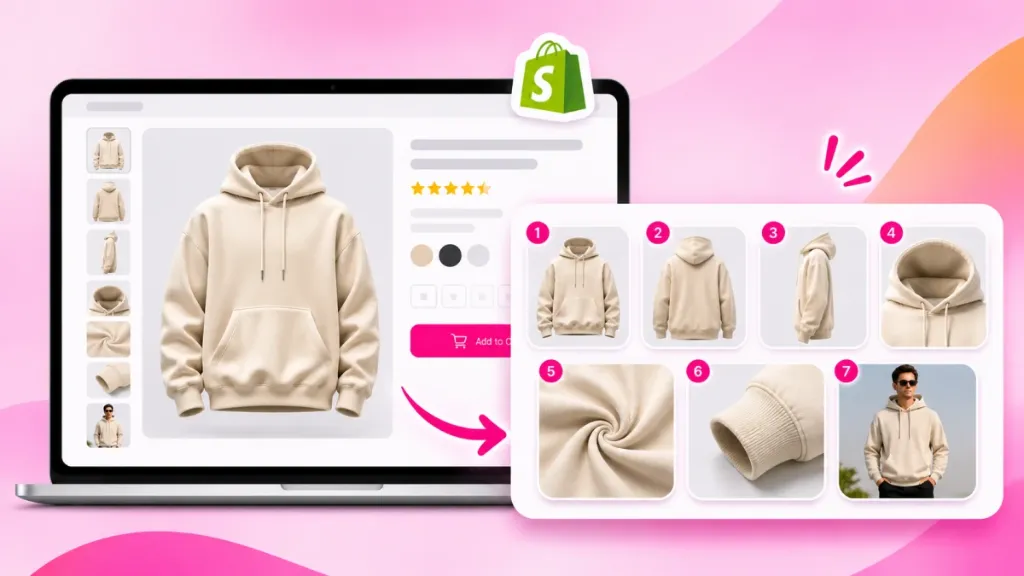
You do not need dozens of random photos. You only need seven deliberate shots arranged in a specific sequence to guide the visitor toward checkout:
Shot 1: The Clean Hero Shot (Your First Impression)
This is your primary catalog image. It features your product straight-on with balanced, soft studio light on pure white or light grey. Meets 100% of Google Shopping and Amazon feed standards while setting immediate color and shape expectations.
Shot 2: The Pedestal Shot (The Perceived Value Booster)
Place your product on a clean podium made of marble, smooth concrete, or clear acrylic. This framing elevates your item from an ordinary commodity to a premium brand piece, justifying higher prices.
Shot 3: The 3/4 Angle and Back View (3D Depth)
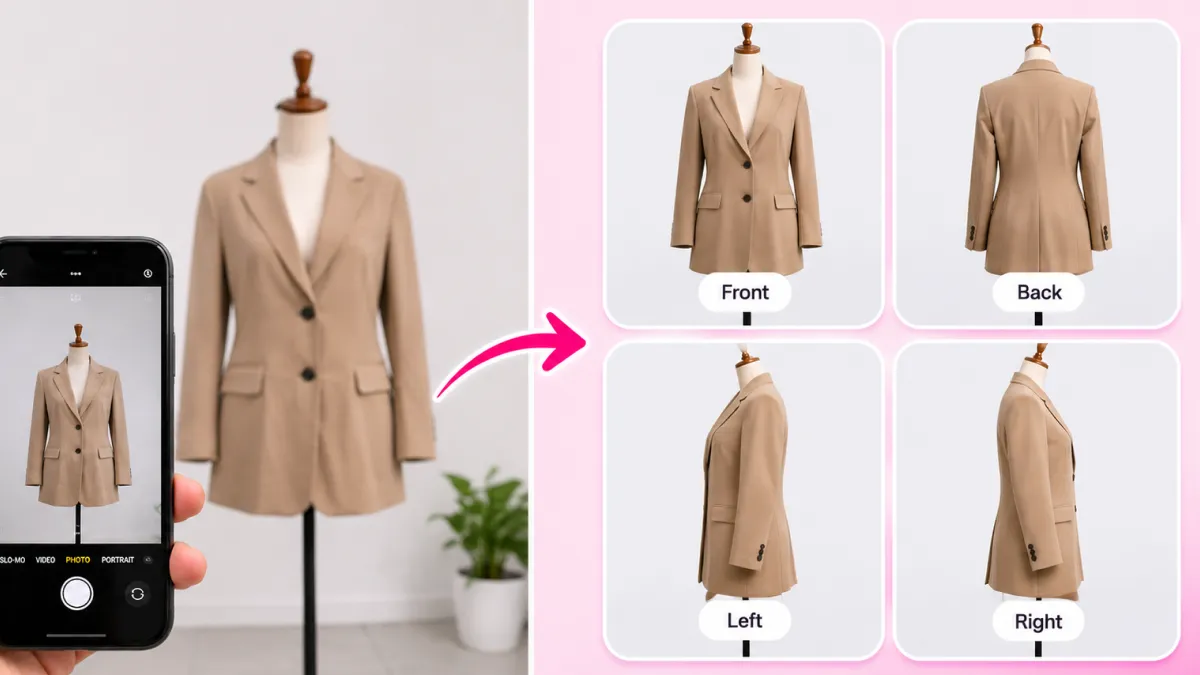
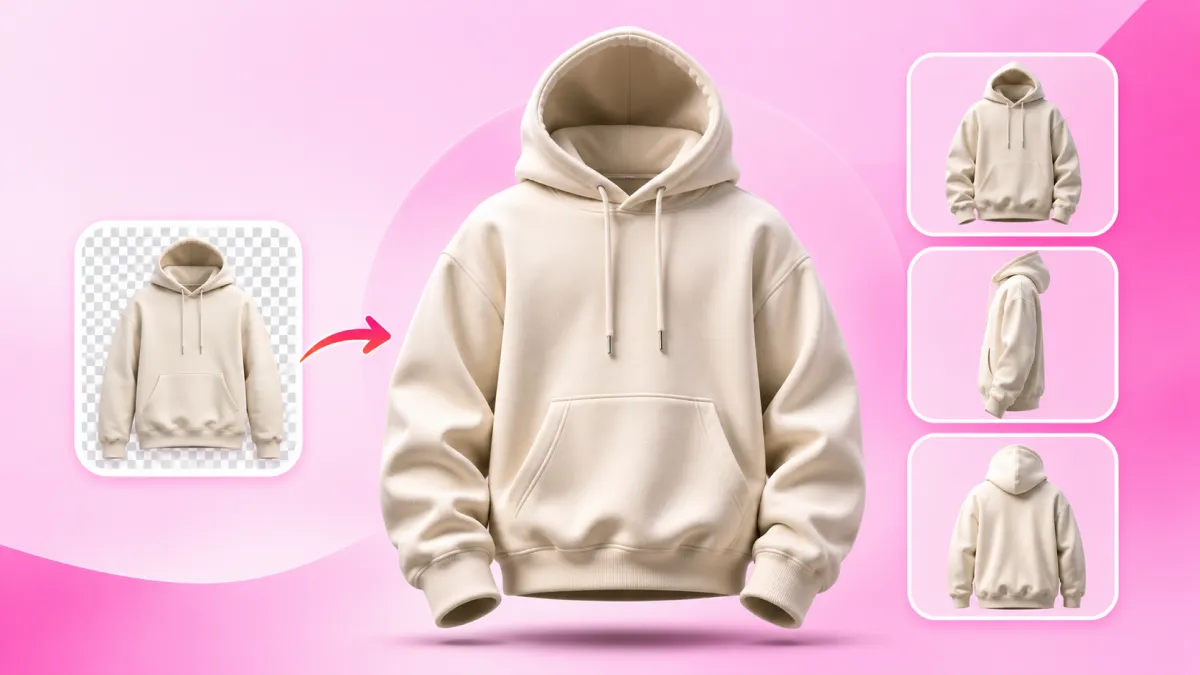
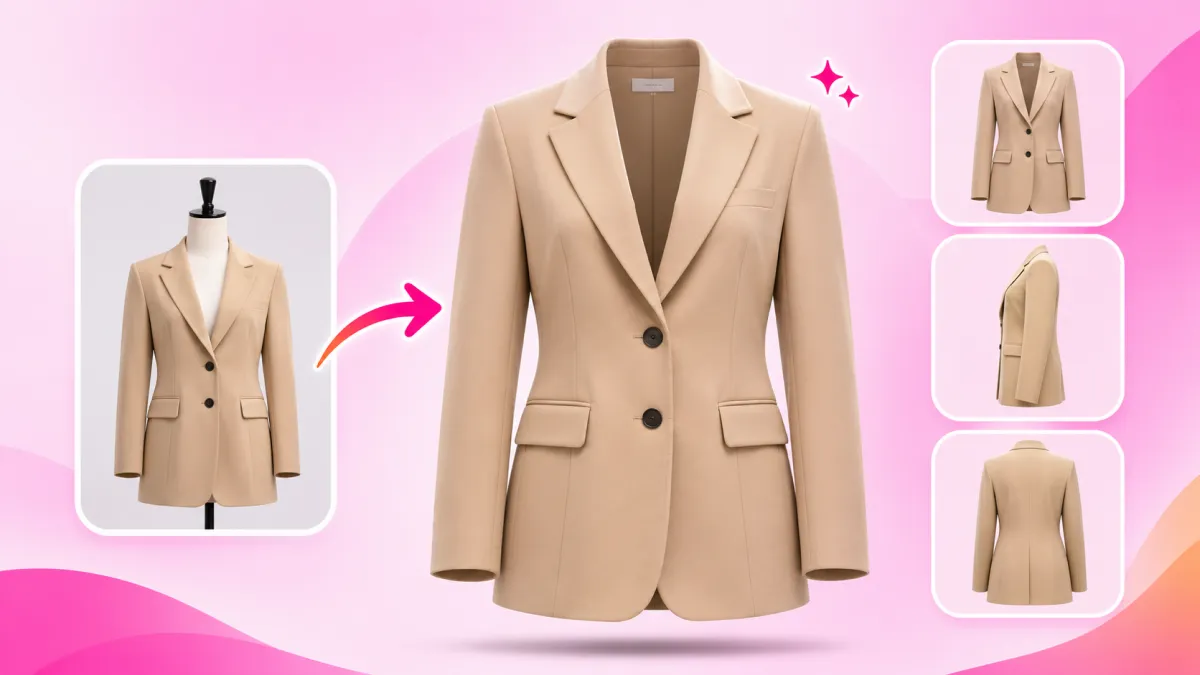
Never let your product look like a flat paper cutout. Show it turned at a 45-degree angle paired with a clear rear view to reveal contours, rear ports, and construction details.
Shot 4: The Macro Detail Shot (Proof of Quality)
Zoom in close on your product's finest details. Show the stitching, brushed metal caps, embossed logos, or rich liquid textures to prove manufacturing craftsmanship.
Shot 5: Product-in-Hand (Instant Size & Scale)
Dimensions in millimeters are hard to visualize. Show a real human hand holding the product so visitors instantly understand its real-world proportions without reading spec sheets.
Shot 6: In-Context Lifestyle (Emotional Connection)
Show your product in its natural habitat (a sunlit kitchen, bathroom vanity, or workspace desk). It helps customers picture the item inside their daily routine.
Shot 7: The Packaging Shot (Unboxing Confidence)
Display the retail box, pouch, or custom packaging alongside the product. This builds unboxing excitement, validates gift appeal, and proves you run an authentic brand.
How to Create All 7 Shots in Under 10 Minutes with AI
Capturing this 7-shot sequence used to require hiring a studio, renting lighting rigs, and waiting weeks for retouches. Today, you can do it right from your desk with SocialShot AI Product Photography.
Upload Raw Photo
Drop a simple smartphone snap or raw photo of your item. No studio setup or white background needed
Pick Shot & BG
Select from 23+ camera angles (Hero, Pedestal, Macro) and 21+ realistic surfaces (Marble, Wood, Studio).
Generate & Download
Get high-resolution, commercial-grade catalog photos with realistic contact shadows in seconds.
4 Rules for Uploading Your Gallery to Shopify
Before you hit publish, follow these four simple technical rules to ensure top performance:
1. Keep aspect ratios identical: Use 1:1 square or 4:5 vertical for every image in the gallery. Mixing different sizes causes the page to jump when users swipe on mobile.
2. Match color tones: Your product must look like the same shade in every shot. If your bottle is dark green in shot 1, it cannot look lime green in shot 6.
3. Use WebP format: Compress your high-resolution renders into WebP. This keeps file sizes tiny while preserving retina-level zoom sharpness.
4. Write descriptive alt text: Include your product name and shot role in each image alt tag (for example: *Organic face serum on white marble pedestal*). This drives free organic traffic from Google Images.
Selling high-ticket items? Learn how to light reflective metals and glass in our guide on shooting luxury perfumes, watches, and jewelry without a studio setup.
Frequently Asked Questions
How many photos should a Shopify product page have?
Most top-performing Shopify stores use between 5 and 8 images per product. The 7-shot framework covers all the visual answers a shopper needs before buying.
Will AI change my logo or packaging text?
Generic AI art tools often scramble letters and warp logos. SocialShot protects your original product pixels with Exact Product Preservation, leaving your typography and branding completely crisp.
Do I need an expensive camera to get started?
No. Any modern smartphone camera works fine. As long as your initial photo is in focus with decent natural light, the AI handles the rest.
Can I connect this directly to my Shopify store?
Yes. You can install the SocialShot AI Studio Shopify App to generate your galleries and push updates straight to your live store.
Final Thoughts
Your product photos work as your 24/7 sales reps. Do not let one flat image kill your conversion rate.
Take one smartphone photo of your best-selling product today.
Run it through the 7-shot framework using SocialShot AI Product Photography or the Shopify App, upload the new gallery, and watch your add-to-cart rate climb.
Explore Free Creative AI Tools on SocialShot
Boost your store conversions with our free browser-based tools:
Free AI Product Photography
Studio-grade product shots with 23+ camera angles, marble pedestals, and natural lighting.
Free AI Shadow Maker
Generate physics-accurate contact and drop shadows for transparent product cutouts.
Free AI Pose Changer
Turn 1 fashion photo into 100+ high-fashion poses and multi-angle catalog lookbooks.
AI Fashion Model Generator
Dress diverse, photorealistic AI fashion models with zero expensive photoshoots.