A haircut is a three-month commitment made during a ten-minute salon consultation. Most of us have experienced the dreaded post-haircut remorse of asking for a dramatic pixie cut, curtain bangs, or platinum blonde dye—only to realize it clashes with our face shape or skin undertone.
Finding magazine reference photos rarely helps because those models have different jawlines, bone structures, and hair densities than you.
With SocialShot's Free AI Hairstyle Changer and Hair Color Changer, you can test over 50 haircuts and realistic hair colors directly on your own face in seconds. Here is how to find the most flattering style risk-free.
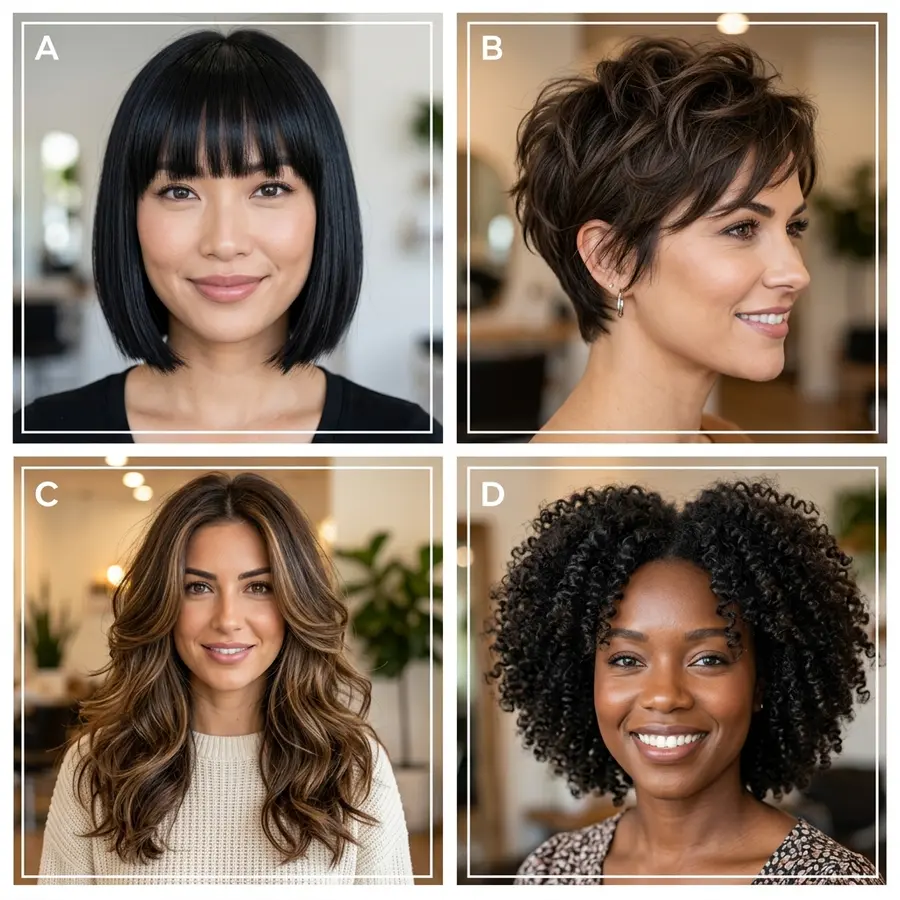
Preview buzz cuts, bobs, curtain bangs, fades, blonde, and vivid hair dyes on your own photo with AI before visiting the hair salon.
Matching Haircuts to Your Unique Face Shape
Professional hairstylists choose cuts based on facial geometry. The objective is visual balance: softening sharp angles or adding vertical elongation where needed.
Round Face Shape
Styles with crown height, textured pompadours, asymmetrical bobs, and long face-framing layers elongate facial proportions.
Square Face Shape
Soft curtain bangs, rounded wave textures, and feathered cuts soften a strong, prominent jawline.
Oval Face Shape
The most versatile face shape; accommodates buzz cuts, blunt bobs, sleek fades, and voluminous beach waves effortlessly.
Heart Face Shape
Chin-length textured bobs, side-swept bangs, and shoulder-grazing layers balance a wider forehead with a pointed chin.
The Golden Rule: Test Cut and Color Separately
A common mistake when using virtual styling tools is changing both the haircut and color simultaneously (for example, switching from brown shoulder-length hair straight to a platinum buzz cut).
If the result feels jarring, you won't know whether you dislike the cut or the shade. Always test the haircut in your current natural hair color first, then experiment with highlights, balayage, or pastel dyes on your preferred cut.
Explore our dedicated AI Hair Color Changer to preview platinum blonde, copper red, honey balayage, and jet black with natural root blending.
Capturing the Ideal Input Selfie
To generate hyper-realistic hair strands that seamlessly blend into your natural scalp, follow these preparation tips:
Source photo best practices:
- Tuck Hair Behind Ears: Allow the AI to clearly recognize your temples, ears, and cheekbone structure.
- Keep Your Forehead Visible: Pull back heavy existing bangs so the generator can establish your true hairline.
- Shoot in Balanced Daylight: Avoid strong overhead lighting that casts deep shadows over your forehead.
- Face Straight On: A direct front-facing selfie produces the most accurate symmetry across all haircut angles.
How to Consult With Your Stylist Using AI Previews
The greatest advantage of an AI makeover is practical salon communication. Rather than showing your stylist a celebrity photo with completely different facial features, you can show them two saved AI renders on your actual face.
This gives your stylist clear insight into your desired length, texture, and parting while allowing them to adapt the cut to your real hair density.
Frequently Asked Questions
How realistic are the virtual hair textures and strands?
SocialShot simulates realistic hair physics including natural strand sheen, volume, root blending, and shadow falloff across your temples and shoulders.
Can men preview fades and beard styles?
Yes. The tool includes male grooming styles such as low/mid/high fades, buzz cuts, pompadours, and textured quiffs.
Does the AI change my facial identity or makeup?
No. Your facial features, eye color, smile, and skin tone remain completely untouched—only the hair geometry and color are updated.
Can I download and share the previews?
Yes. You can download high-resolution previews to your phone to bring directly to your salon appointment or poll friends on social media.
Final Thoughts
Eliminate haircut anxiety forever. Test your dream look risk-free before a single scissor snips your hair.
Try on new hairstyles and colors with SocialShot today.