Your headshot is your digital handshake. Whether an executive recruiter explores your LinkedIn profile, an event organizer prepares your keynote speaker card, or a prospect checks your company about page, your photo forms their initial perception of your credibility.
Yet millions of professionals are still using cropped wedding photos, low-resolution vacation snapshots, or outdated portraits taken five years ago.
With SocialShot's Free AI Headshot Generator, you can turn an everyday selfie taken on your phone into a razor-sharp executive portrait complete with tailored attire, flattering studio lighting, and modern backdrops. Here is how to achieve flawless, photorealistic results.
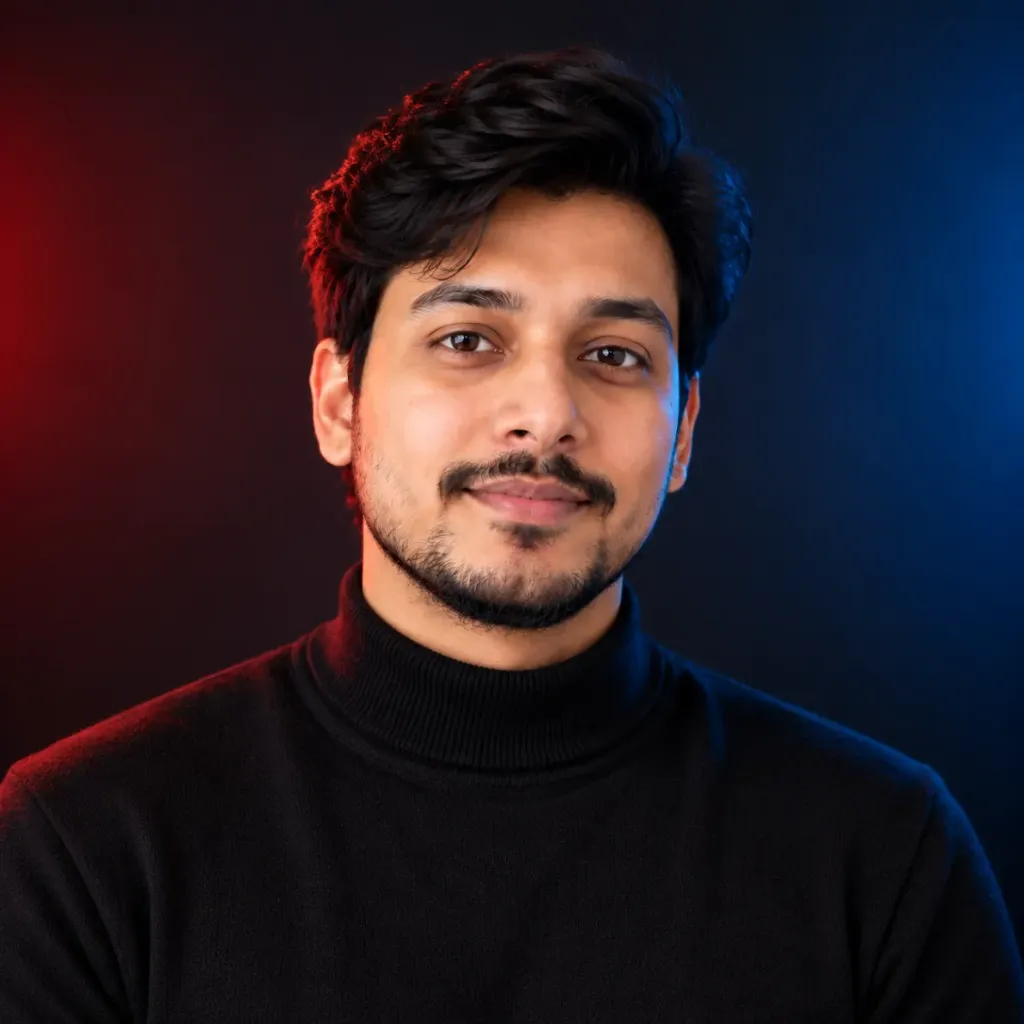
Transform casual phone selfies into executive, corporate, and creative headshots with studio lighting, tailored wardrobe, and recruiter-approved backdrops.
What Separates an Executive Portrait From a Selfie
A great headshot isn't just about a pretty face—it conveys confidence, warmth, and professional stature. Professional studio photographers achieve this through controlled lighting setups, wardrobe selection, and precise lens depth.
Three-Point Studio Lighting
A soft key light illuminates facial contours, a fill light softens harsh under-eye shadows, and a subtle rim light separates you cleanly from the background.
Tailored Professional Wardrobe
Structured blazers, pressed dress shirts, or clean minimalist crewnecks replace casual tees, instantly elevating executive presence.
Soft Bokeh Backgrounds
Gently blurred modern offices, contemporary lofts, or neutral studio gradients direct 100% of the viewer's focus to your expression.
Confident Eye Contact
Direct, engaging eye alignment paired with an approachable, natural micro-smile inspires immediate trust.
How to Take the Perfect Input Selfie
The realism of your generated headshot is directly tied to the clarity of your input photo. The AI uses your natural bone structure, eye shape, and smile as its ground truth.
Checklist for your input selfie:
- Face a Window Directly: Natural daytime light ensures clean catchlights in your eyes and avoids grain.
- Position the Camera at Eye Level: Do not angle the phone from high above or below your chin. Keep it level at arm's length.
- Adopt a Neutral or Relaxed Expression: A gentle smile or confident neutral expression produces the most versatile professional looks.
- Remove Glasses and Hats: Ensure your eyebrows, hairline, and facial contours are completely unobstructed.
- Avoid Beauty Filters: Disable smoothing filters or heavy portrait mode blur on your phone camera prior to uploading.
Need an executive CV headshot specifically? Explore our AI CV & Resume Photo Maker tailored for international application standards.
Matching Your Headshot Style to Your Industry
One size does not fit all in personal branding. A fintech chief executive, a creative art director, and an independent consultant require distinctly different visual presentations.
| Industry / Role | Recommended Style | Wardrobe & Lighting |
|---|---|---|
| Corporate Leadership & Finance | Executive Leadership | Navy or charcoal blazer, crisp white shirt, neutral studio grey background |
| Technology & SaaS Startups | Modern LinkedIn | Minimalist dark crewneck or relaxed blazer, soft blurred modern loft background |
| Creative Agencies & Design | Creative Studio | Contemporary earth tones, subtle color temperature accents, artistic shadow depth |
| Coaching, Health & Consulting | Natural Lifestyle | Soft knitwear or open collar, gentle daylight and outdoor greenery bokeh |
How to Review Your Results for Believability
Before setting your new portrait as your primary LinkedIn photo, inspect three critical anatomical areas: the pupils and iris reflections, the hairline transition, and the collar seam symmetry.
SocialShot's identity-preservation model preserves your unique facial features while cleanly executing wardrobe swaps, ensuring your colleagues recognize you immediately on your next video call.
Frequently Asked Questions
Will my AI headshot actually look like me in real life?
Yes. SocialShot preserves your facial geometry, eye shape, skin tone, and authentic features while upgrading lighting, hair styling, attire, and background.
Is it acceptable to use an AI headshot on LinkedIn?
Yes. As long as the photo accurately represents your authentic appearance, high-resolution AI headshots are widely used by top executives, founders, and job seekers.
Can I generate different outfit options from one selfie?
Yes. You can generate multiple variations including dark blazers, grey suits, formal collars, and modern business-casual attire from a single upload.
What format and resolution will I receive?
Generated headshots are exported in 1024x1024 square and 4K high-resolution WebP/PNG formats ready for LinkedIn, resumes, personal websites, and press kits.
Final Thoughts
A polished headshot is one of the highest-ROI investments you can make in your personal career brand.
Stop settling for cropped snapshots. Upload a selfie now and upgrade your professional profile today.