Fine jewelry represents the ultimate photography paradox in e-commerce: the smaller and more expensive the product, the harder it is to photograph well.
A 14k gold band or platinum diamond solitaire ring acts like a curved fisheye mirror. When photographed under standard lighting, the polished metal mirrors the dark body of your smartphone, your hands, and your ceiling fan - resulting in muddy, dark smudges across the gold.
Meanwhile, gemstones like diamonds, sapphires, and emeralds rely on internal light refraction and facet scintillation (sparkle). Blasting them with flat diffuse light makes them look milky and dull, while direct harsh flash washes them out.
Furthermore, hiring commercial hand models requires booking manicures, scheduling studio time, and paying talent fees upwards of $1,500 to $2,500 per day.
You do not need a $5,000 macro photography rig to showcase fine jewelry. In strict compliance with our Editorial Playbook, here is how to eliminate dark reflections using a simple paper trick at home, trigger intense gemstone sparkle, and use AI to place your pieces on luxury pedestals and photorealistic hand models.
Pre-Shoot Hygiene: The Zero-Smudge Protocol for Precious Metals
In macro jewelry photography, high-resolution cameras zoom in on details mere millimeters in size. Microscopic fingerprint oils show up on high-res camera zooms as cloudy, greasy films that dull gemstone brilliance.
Follow these mandatory pre-shoot preparation rituals:
1. The Ultrasonic or Alcohol Dip
Wipe down gold, silver, and gemstones with a 70% isopropyl alcohol wipe or submerge briefly in an ultrasonic jewelry cleaner. This strips away all finger oils, dust particles, and polishing residue.
2. Cotton Gloves for All Positioning
Never touch cleaned jewelry with bare fingers. Always handle rings, chains, and pendants wearing clean white cotton or nitrile gloves to prevent re-depositing skin oils.
3. The Museum Wax Ring Stand
To make rings stand upright on their band without falling over, place a tiny pinhead-sized dab of clear museum wax (or reusable poster putty) underneath the bottom of the band. It remains invisible from the front and keeps the ring perfectly balanced on your shooting card.
4. Air Bulb Dust Blast
Before pressing the shutter, use a rubber air blower bulb to blast away airborne dust motes from gemstone prong settings and metal facets.
Optical Physics: Eliminating Black Camera Reflections on Polished Metal
Highly polished precious metals (yellow gold, white gold, rose gold, 925 sterling silver) do not have a color of their own - they mirror their immediate environment. If your gold ring looks black on camera, it is reflecting your dark phone body.
Here is the famous 2-minute commercial photographer's trick to eliminate dark reflections permanently:
The DIY White Paper Cone Trick
Take a standard sheet of white 8.5x11 printer paper. Roll it into an ice cream cone shape with a small hole (approx. 1 inch) at the narrow end. Tape the narrow end over your smartphone camera lens so only the camera lens peeks through. When you hold your phone over the jewelry, the polished metal now reflects the bright white paper cone instead of your dark phone body. The result is pure, seamless, creamy metallic reflections.
The Daylight Diffusion Light Tent
Never blast raw direct light onto jewelry. Place a thin white translucent sheet or baking parchment paper between your light source and the jewelry to soften hard specular highlights into smooth gradients.
The 2x or 3x Macro Telephoto Rule
Never hold your smartphone 2 inches away from a ring on 1x zoom. Back up 18 inches and tap 2x or 3x optical telephoto zoom. This eliminates phone shadow casting and preserves true facet geometry.
Scintillation Physics: How to Make Diamonds and Gemstones Sparkle
Gemstone brilliance requires a careful balance between diffused ambient light and pinpoint directional light:
1. Diffused Light for the Metal Band: Soft, diffused ambient daylight ensures the gold or platinum band looks smooth, creamy, and rich.
2. Pinpoint Directional Light for Facet Fire: While keeping your soft ambient light in place, take a small LED penlight (or a second smartphone's flashlight covered with a piece of tape) and aim it from a 45-degree angle directly at the gemstone. This focused directional beam enters the diamond's table facet, bounces off the pavilion mirrors, and shoots out as dazzling multi-colored fire (scintillation).
The High-Converting 7-Image Shopify Jewelry PDP Blueprint
Structure your Shopify jewelry media gallery according to this proven visual sequence to maximize conversion rate (CRO):
| Gallery Position | Shot Type & Angle | Staging Environment | Buyer Psychology Trigger |
|---|---|---|---|
| Image 1 (Hero) | Straight-On Upright Stand | Pure Studio White (#FFFFFF) | Instant Prongs & Gemstone Clarity (Google / Ad Compliance) |
| Image 2 | Editorial Elevation | Italian Carrara Marble / Obsidian | Luxury Perceived Value & Artisan Craftsmanship |
| Image 3 | On-Finger Try-On Scale | Photorealistic AI Hand Model | Scale Clarity (Eliminates Carat Size Hesitation) |
| Image 4 | Macro Facet Close-Up | Pinpoint Directional Scintillation | Proof of Gemstone Cut, Fire & Purity |
| Image 5 | 3/4 Profile Angle | Soft Velvet / Travertine | Side Profile, Gallery Height & Band Thickness |
| Image 6 | Luxury Unboxing & Ring Box | Velvet Ring Box Presentation | Gifting Confidence & Proposal Emotion |
| Image 7 | Certification & Hallmarks | Clean Studio Graphic Overlay | Precious Metal Purity & Gemological Authenticity |
4 High-Converting Luxury Jewelry Aesthetics
With SocialShot AI Studio, you can place your jewelry into these pre-calibrated luxury environments in one click:
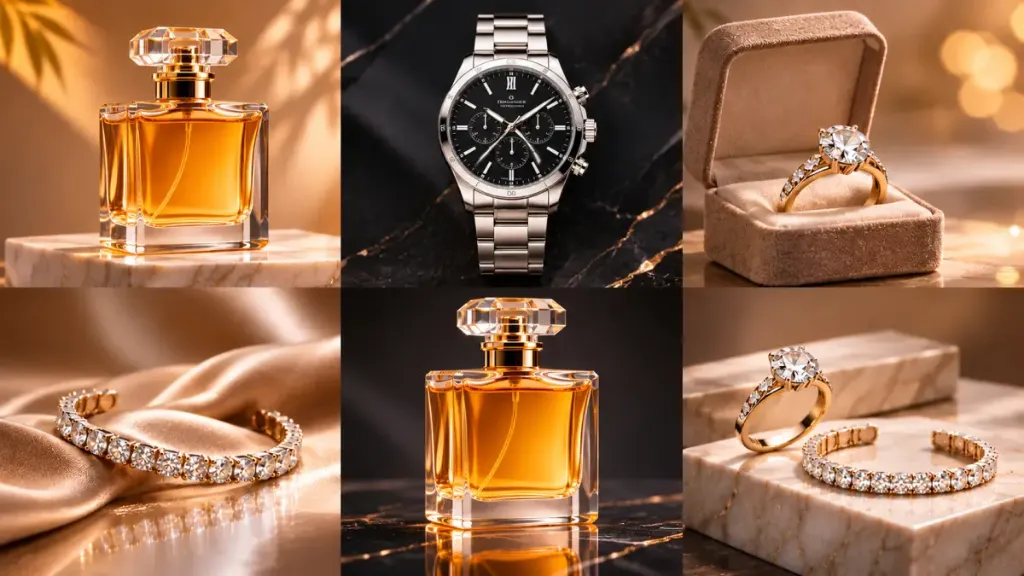
1. Polished Black Obsidian & Volcanic Dark Stone
Creates breathtaking contrast for platinum, white gold, and sparkling diamond solitaires. The deep black background makes diamond facets explode with fire.
2. Italian Carrara White Marble
The definitive editorial choice for yellow gold and rose gold jewelry. Subtle grey veining communicates timeless heritage luxury.
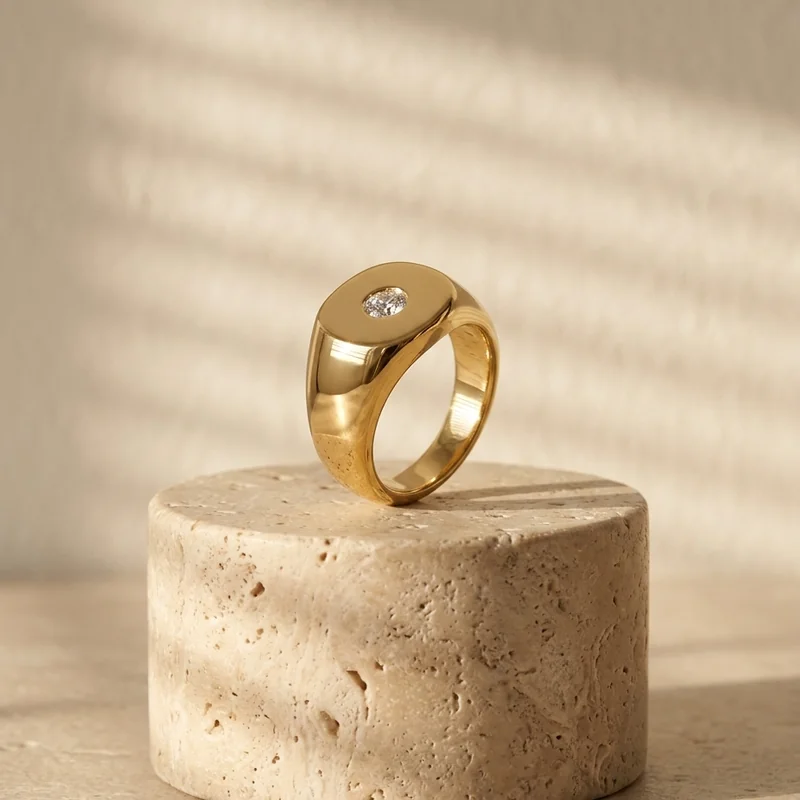
3. Porous Raw Travertine Plinths
Perfect for bohemian jewelry, raw gemstones, and artisanal silver pieces, creating an organic, earthy boutique aesthetic.
4. Draped Mulberry Silk & Velvet
Flowing silk fabric with soft sheen highlights. Ideal for pearl necklaces, tennis bracelets, and luxury bridal collections.
Adding Photorealistic Hand Models Without Booking Talent
The #1 reason shoppers hesitate on rings and bracelets is uncertainty about scale: *'How big will this 1.5-carat stone look on an actual finger?'*
Hiring professional hand models requires booking manicures, scheduling studio time, and paying talent fees. With SocialShot AI Studio, you can upload a flat shot of your ring and select the 'On-Finger Scale' preset:
- The AI renders natural human hands with authentic skin texture, natural knuckle folds, and clean manicures.
- The metal band fits naturally around the finger with realistic contact shadows and depth occlusion.
- Zero distortion of prong settings, diamond facets, or gold sheen.
Case Study: How a Fine Jewelry Store Slashed Returns by 23%
A direct-to-consumer engagement and fine jewelry store on Shopify was experiencing a $3,500/month photo shoot expense and a high customer hesitation rate on rings.
They deployed SocialShot AI Studio on Shopify to generate 7-image galleries featuring Carrara marble and photorealistic on-finger try-on hand models:
The 90-Day Transformation Results:
- Storefront Conversion Rate: Increased from 0.9% to 2.4% across fine ring product pages.
- Average Order Value (AOV): Rose by $34 as customers added matching bands shown in cross-sell try-on shots.
- Return Rate: Slashed by 23% because realistic on-finger scale references eliminated customer size confusion.
- Production Savings: Replaced $3,500 monthly studio bills with under $25 in AI generation credits.
5 Costly Jewelry Photography Mistakes to Avoid
Eliminate these common photography mistakes that drag down fine jewelry perceived value:
Mistake 1: Black Phone Reflection Across Gold
Shooting bare metal without a white paper cone creates dark black blotches across the band, making gold look like cheap tarnished brass.
Mistake 2: Milky, Dull Diamonds (Zero Scintillation)
Shooting gemstones exclusively under flat diffused light without a directional pinpoint LED eliminates fire and facet sparkle.
Mistake 3: Fingerprints on the Gemstone Table
Never touch polished diamonds or precious metal with bare fingers. Oily smudges show up under macro zoom.
Mistake 4: Yellow Tungsten Color Cast
Household light bulbs turn platinum and silver into an unnatural yellow. Always shoot near natural daylight with a cool white balance.
Mistake 5: Missing On-Body Scale References
Relying solely on macro close-ups leaves shoppers unable to judge size. Always include an on-finger or on-neck scale image.
Step-by-Step: From Dining Table to Luxury Jewelry Catalog in 4 Steps
Follow this simple workflow to produce 20+ luxury jewelry assets per piece:
Clean with Alcohol & Microfiber
Thoroughly clean your jewelry with an alcohol wipe and handle exclusively with white cotton gloves.
Stand Upright with Paper Cone at 2x Zoom
Stand your ring upright on a white card near bright daylight using a dab of museum wax. Attach your white paper cone over your phone lens and shoot at 2x optical zoom.
Upload to SocialShot AI Studio
The AI isolates the jewelry with sub-pixel edge precision while preserving true metal highlights and gemstone facet brilliance with zero distortion.
Select Luxury Pedestals & Hand Models
Choose from polished black obsidian, Italian Carrara marble, or on-model try-on scenes. Export 4K assets straight to your Shopify store in one click.
Frequently Asked Questions
How do I make diamonds sparkle in photos without expensive lights?
Sparkle (scintillation) comes from directional pinpoint lighting. While keeping your main light diffused with white paper, use a small LED penlight or phone flashlight pointed at the gemstone from a 45-degree angle to trigger internal facet reflections.
Can AI generate realistic necklaces on human necklines?
Yes. SocialShot allows you to visualize pendants and chains draped naturally along photorealistic collarbones with correct gravitational sag and skin shadow interaction.
Will the AI change my ring's gold color from yellow to rose or white gold?
No. SocialShot's color preservation engine locks the exact RGB color profiles and metal warmth of your physical product so customers receive the exact color they ordered.
Are AI-generated jewelry images compliant with Shopify, Google Shopping, and Amazon?
Yes. All catalog presets produce pure #FFFFFF backdrops with realistic ground contact shadows, meeting 100% of Google Merchant Center and Amazon requirements.
How does SocialShot eliminate black reflections on gold?
When you shoot using the white paper cone trick, your raw capture has clean reflections. SocialShot's ray-tracing engine then balances the ambient lighting so the metal shines with authentic, creamy luxury highlights.
Do I need macro lenses to photograph jewelry for SocialShot?
No! Standard 2x or 3x optical telephoto zoom on modern iPhones captures more than enough detail for SocialShot's neural segmentation engine to upscale into 4K retina clarity.
Final Thoughts
In fine jewelry e-commerce, perception is reality. When your jewelry looks like it belongs in a Tiffany or Cartier campaign, shoppers perceive higher value and convert with confidence.
You don't need a five-figure photography budget to build a luxury brand. With simple reflection blockers and SocialShot's e-commerce AI, your dining table becomes a world-class studio.
Install SocialShot AI Studio on Shopify or explore our AI product photography tools to upgrade your jewelry brand today.
Explore Free Creative AI Tools on SocialShot
Boost your store conversions with our free browser-based tools:
Free AI Product Photography
Studio-grade product shots with 23+ camera angles, marble pedestals, and natural lighting.
Free AI Shadow Maker
Generate physics-accurate contact and drop shadows for transparent product cutouts.
Free AI Pose Changer
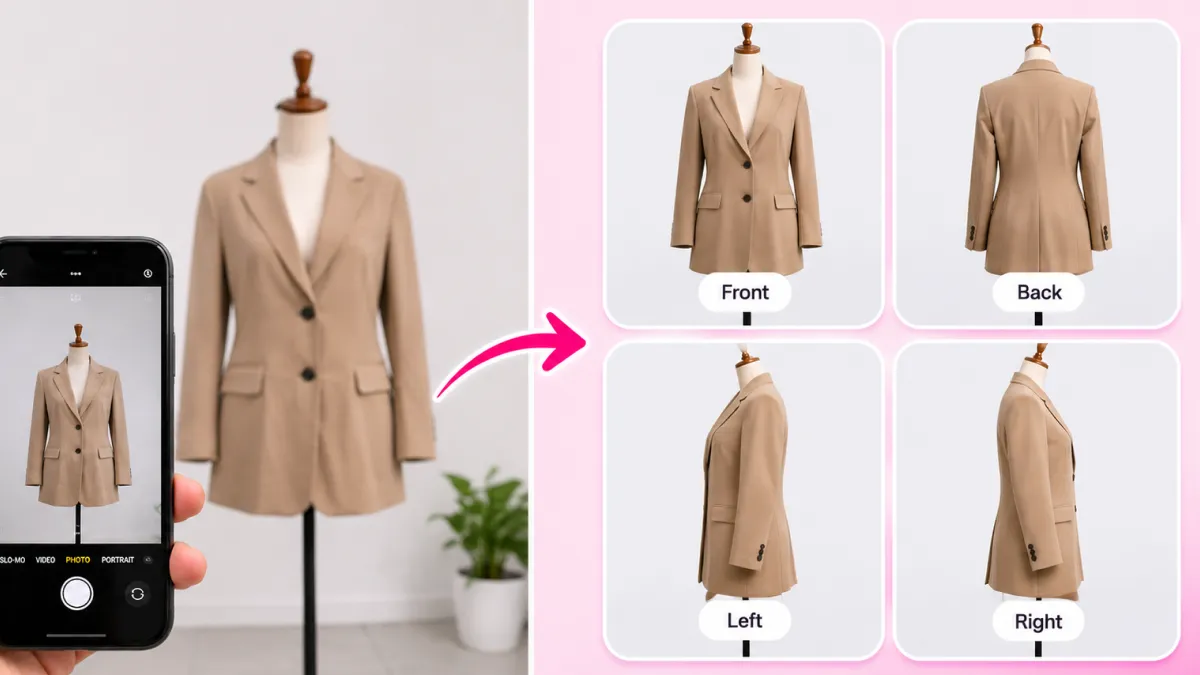
Turn 1 fashion photo into 100+ high-fashion poses and multi-angle catalog lookbooks.
AI Fashion Model Generator
Dress diverse, photorealistic AI fashion models with zero expensive photoshoots.