For online apparel and fashion merchants on Shopify, product photography is historically the single most punishing operational expense on the profit-and-loss statement.
A standard commercial fashion photoshoot - producing imagery for just 15 to 20 garments, routinely burns through $3,500 to $6,500 per day once you factor in agency model day-rates, daylight studio rentals, hair and makeup artists (HMUA), professional photographers, wardrobe stylists, and commercial retouching fees. And if you launch new seasonal drops every month, photography costs easily drain over $40,000 to $60,000 annually before a single dollar is spent on paid advertising.
Yet, displaying clothing on flat-lays or plastic hangers is a proven conversion killer: studies consistently reveal that on-model imagery drives 45% higher add-to-cart conversions and slashes customer return rates by 22% compared to flat cutouts. Shoppers need to see how fabric drapes over shoulders, how sleeves break at the wrist, and how waistlines taper on real human silhouettes.
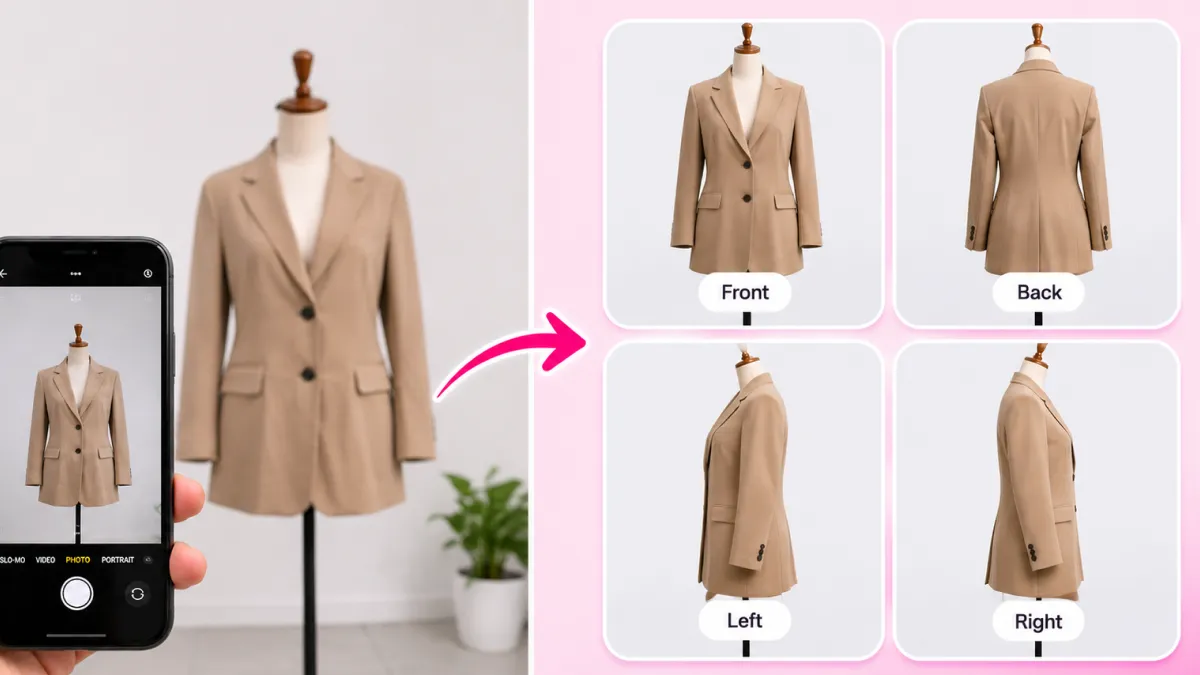
In 2026, generative e-commerce AI has fundamentally broken this trade-off. With advanced tools like SocialShot AI Studio on Shopify, apparel founders can now transform a simple smartphone flat-lay or ghost mannequin photo into photorealistic on-model studio imagery in seconds, slashing production costs by over 92%.
Here is the complete blueprint to cutting photoshoot costs with an AI fashion model for Shopify while accelerating your product launch velocity and increasing storefront conversion.
The Brutal Economics of Traditional Fashion Photoshoots
To understand why hundreds of fast-growing fashion brands are migrating to AI models, look closely at the hidden expenses embedded in a typical 1-day commercial studio shoot:
1. Agency Model Booking Fees ($1,200 – $2,500/day)
Professional fashion models command $150 to $300 per hour plus 20% agency booking fees. Furthermore, standard agency contracts include restrictive image usage licenses - often expiring after 12 months, requiring recurring buyout renewal fees.
2. Studio Daylight Rental & Lighting Rigs ($800 – $1,500/day)
Renting a commercial cyclorama wall studio with continuous Profoto strobes, C-stands, and modifiers costs upwards of $100 to $175 per hour with mandatory cleaning and insurance deposits.
3. Hair, Makeup & Wardrobe Stylist ($600 – $1,200/day)
Ensuring models have clean makeup, styled hair, and that garments are steamed, clipped, and pinned on set requires specialized on-site crew members.
4. Professional Fashion Photographer ($1,000 – $2,000/day)
Experienced commercial photographers charge premium day rates to operate cameras, coordinate tethered capture, and oversee digital asset management.
5. Post-Production Retouching & Turnaround Delay ($500 – $1,000 + 3 Weeks)
Color grading, skin blemish smoothing, fabric wrinkle removal, and background cleanup cost $15 to $35 per image. Worst of all, retouchers take 2 to 4 weeks to return final files - paralyzing your inventory turnover.
Financial Breakdown: Traditional Studio Shoot vs. SocialShot AI Studio
Here is a side-by-side financial comparison of launching a 20-SKU apparel collection across traditional studio workflows, overseas ghost mannequin outsourcing, and AI fashion models on Shopify:
| Operational Metric | Traditional Studio Shoot | Outsourced Ghost Mannequin | SocialShot AI Fashion Models |
|---|---|---|---|
| Total Cost (20 Garments) | $3,500 – $6,500 | $800 – $1,400 | $30 – $50 (AI Credits) |
| Cost Per Finished SKU | $175 – $325 / garment | $40 – $70 / garment | Under $2.50 / garment |
| Time to Live Storefront | 14 to 28 Days | 7 to 10 Days | Under 30 Minutes |
| Model Diversity & Sizes | 1 or 2 Models (Fixed) | None (Empty Shell) | Unlimited Ethnicities & Body Types |
| Reshoot Flexibility | Full Day Re-booking Fee | Re-ship Garment Overseas | Instant 1-Click Re-generation |
| Commercial Image Rights | 12-Month Agency Limit | Perpetual | 100% Royalty-Free Forever |
Conversion Psychology: Why On-Model Imagery Outperforms Flat-Lays
Many budget-conscious Shopify brands attempt to save money by shooting garments flat on a table (flat-lays) or hanging against a white wall. While cheap, this strategy destroys revenue at checkout:
1. The 'Hanger vs. Human' Brain Gap: Online shoppers cannot imagine how a stiff 2D garment will look when wrapped around a living 3D body. On-model imagery reveals how fabric drapes across the chest, how waistlines taper, and how hemlines fall relative to knees and ankles.
2. Dramatic Reduction in Sizing Returns: The #1 reason clothing is returned is sizing uncertainty. By staging your garment on realistic AI models with clear height and size references (e.g., *'Model is 5'9 wearing Size M'*), shoppers pick the correct size on their first attempt, slashing return logistics by up to 22%.
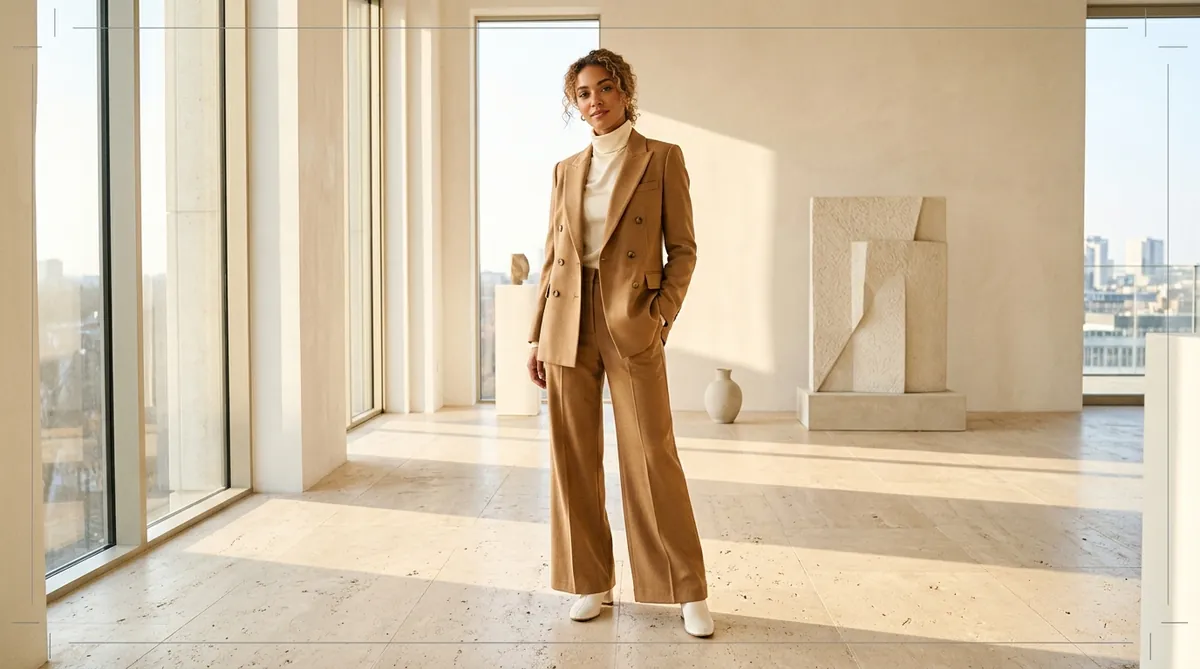
3. Aspirational Brand Elevation: Flat-lays look like $15 fast-fashion clearance bins. Placing that exact same hoodie or dress on a styled editorial model in a sunlit loft instantly elevates perceived retail value from $25 to $85.
Infinite Diversity & Size Inclusivity Without Booking Multiple Castings
Modern consumer expectations demand diverse, inclusive representation. Shoppers want to see clothing modeled by someone who shares their skin tone, hair texture, and body silhouette.
In traditional commercial photography, casting 4 different models across Caucasian, African, Asian, and Hispanic backgrounds, plus curvy/plus-size casting, multiplies your payroll costs by 400% - requiring multiple shooting days and catering bills.
With SocialShot AI Studio, diversity is built-in and free:
- Switch between diverse ethnicities (Caucasian, Black, East Asian, South Asian, Latino, Middle Eastern) in one click.
- Choose from varied age demographics (Gen-Z streetwear, professional millennials, mature luxury).
- Display garments on athletic, slender, and curvy/plus-size silhouettes, allowing every visitor to see themselves in your clothing.
The 7-Image Shopify Apparel PDP Sequence That Maximizes Checkout
Structure your Shopify clothing product page according to this proven visual sequence to maximize conversion rate (CRO):
Image 1: The Front On-Model Hero Shot (Studio White)
Full-length or 3/4 crop on a clean, compliant #FFFFFF background. Communicates overall fit, styling, and garment proportions instantly for Google Shopping and Meta ads.
Image 2: The 3D Ghost Mannequin / Structural View
An isolated hollow 3D view showing the interior neckline, collar structure, and natural garment hang without human body curves altering the silhouette.
Image 3: The Rear On-Model Back View
Captures rear fit, shoulder blade tapering, back pockets (for pants), and rear graphic prints.
Image 4: The In-Motion / Walking Lifestyle Scene
The model walking through an urban street, modern cafe, or architectural loft. Shows natural fabric drape in dynamic motion.
Image 5: The Fabric & Stitching Macro Close-Up
High-resolution close-up of the fabric texture (heavyweight 400GSM cotton fleece, ribbed collar, metal aglets) validating premium tactile quality.
Image 6: The Styled Outfit Pairing Shot
Showing how the garment pairs with complementary pieces (e.g., your hoodie styled with cargo pants and sneakers) to boost cross-sells and average order value (AOV).
Image 7: Sizing & Care Infographic
Clean visual size chart with exact model measurements (height, weight, size worn) to eliminate size guesswork before checkout.
Case Study: How a Streetwear Brand Saved $18,000 on Their Spring Drop
A Los Angeles-based streetwear and hoodie brand on Shopify was launching a 12-piece spring capsule collection. In previous seasons, booking models, a DTLA warehouse studio, and paying photo editing retainers cost them $6,200 per launch with a painful 3-week waiting period.
For their spring drop, the founders photographed flat-lays on an iPhone against an inexpensive white cardboard sheet and processed the entire catalog through SocialShot AI Studio on Shopify:
The Results of the AI Model Transition:
- Direct Production Savings: Total photo budget dropped from $6,200 to $38 in AI generation credits (saving over $6,100 on a single collection).
- Launch Velocity: The entire 12-SKU catalog went from raw phone photos to live Shopify product pages in under 3 hours instead of 21 days.
- Conversion Rate Increase: Store conversion rate surged from 1.8% to 3.4% as shoppers were greeted with high-end editorial on-model photos across diverse body types.
- Ad Performance: Meta and TikTok creative featuring dynamic urban lifestyle model renders generated a 48% higher return on ad spend (ROAS) compared to previous flat-lay campaigns.
How to Generate AI Fashion Models from Flat-Lays in 4 Simple Steps
Creating high-end model shoots no longer requires booking talent or renting studios. Follow this 4-step workflow:
Capture a Clean Flat-Lay or Hanger Photo
Smooth out your garment on a clean table, floor, or hanger near bright natural daylight. Step back 4 feet and snap a crisp, overhead photo with your smartphone at 2x zoom.
Import into SocialShot AI Studio
Open the SocialShot AI Studio Shopify App. The AI automatically detects your garment type (hoodie, t-shirt, dress, jacket, pants) and removes the background with sub-pixel edge detection.
Select Model Demographics & Staging
Choose your preferred model gender, ethnicity, pose, and setting - from minimalist studio white to modern Parisian lofts, sunlit cafes, or urban streets. SocialShot naturally drapes the garment onto the virtual model.
One-Click Sync to Your Live Shopify PDP
Preview the photorealistic renders and click 'Push to Shopify Gallery.' Your live product page updates instantly with retina-sharp WebP assets.
Frequently Asked Questions
Can AI fashion models really look 100% photorealistic on a Shopify store?
Yes. Advanced e-commerce AI engines like SocialShot generate photorealistic human models with authentic skin pores, natural hair strands, accurate knuckle folds, and realistic fabric folds that drape naturally over the body. Online shoppers cannot distinguish them from six-figure studio campaigns.
Will the AI alter my clothing's print, embroidery, or fabric pattern?
No. Unlike generic image generators that re-draw the clothing from scratch, SocialShot features Strict Product Preservation. It treats your garment's original print graphics, typography, button placement, and fabric weave as immutable, naturally bending and folding the physical texture over the model's form.
Can I generate photos with both male and female models from a single garment shot?
Yes! If you sell unisex clothing (like oversized hoodies, t-shirts, or outerwear), you can upload a single flat-lay photo and generate professional on-model galleries featuring both male and female models in diverse poses.
Do I own full commercial rights to use these AI model photos in my ads?
Yes. All images produced by SocialShot AI Studio come with 100% royalty-free commercial usage rights in perpetuity. You can use them across your Shopify store, Meta ads, Google Shopping, Amazon, TikTok, billboards, and print marketing without paying recurring talent buyout fees.
How does using AI fashion models reduce customer returns on clothing?
Returns drop because on-model photography provides accurate visual context regarding garment drape, fabric tension, shoulder drop, and length relative to human proportions. When paired with clear model size callouts, customer size confusion is virtually eliminated.
Can I use photos taken on my smartphone for AI fashion models?
Yes! High-end cameras are completely unnecessary. Any clean smartphone photo (iPhone or Android) taken near indirect window light works perfectly with SocialShot's neural segmentation engine.
Final Thoughts
In 2026, paying $5,000 for a commercial fashion photoshoot is an unnecessary tax on independent apparel founders. High-converting on-model photography is no longer the exclusive privilege of billion-dollar fashion conglomerates.
By adopting an AI fashion model workflow, you protect your profit margins, slash product launch cycles from weeks down to hours, and offer the inclusive representation your shoppers expect.
Upgrade your apparel store today: install SocialShot AI Studio on Shopify or explore our AI fashion model tools to turn your flat-lays into runway-ready model imagery right now.
Explore Free Creative AI Tools on SocialShot
Boost your store conversions with our free browser-based tools:
Free AI Product Photography
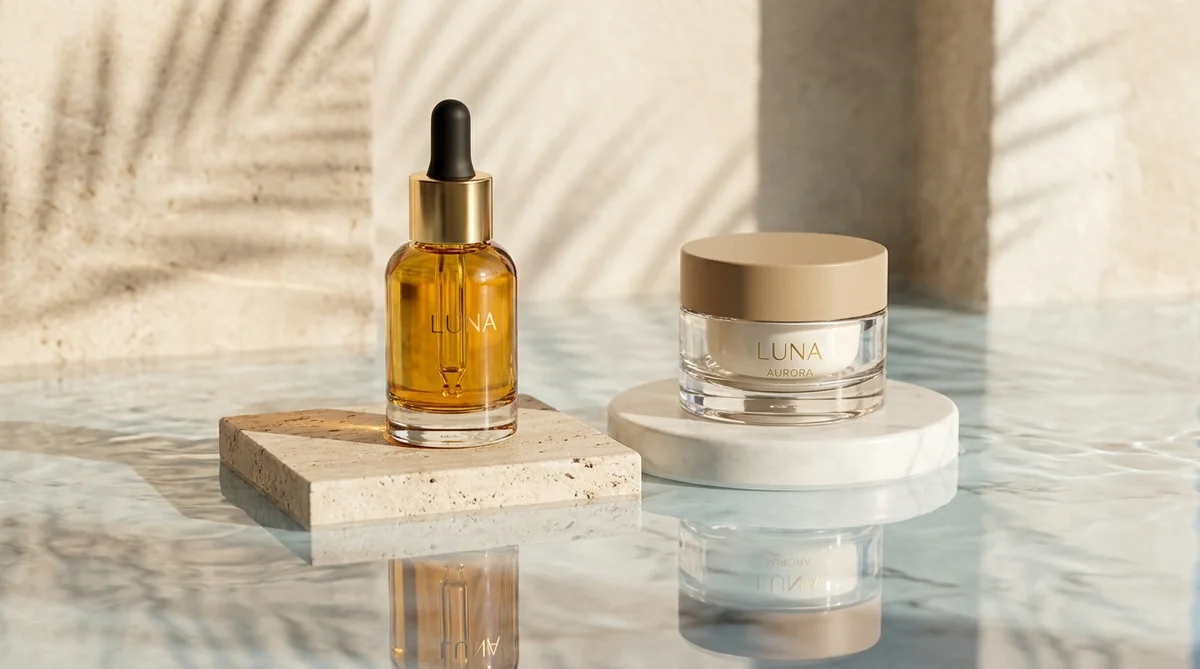
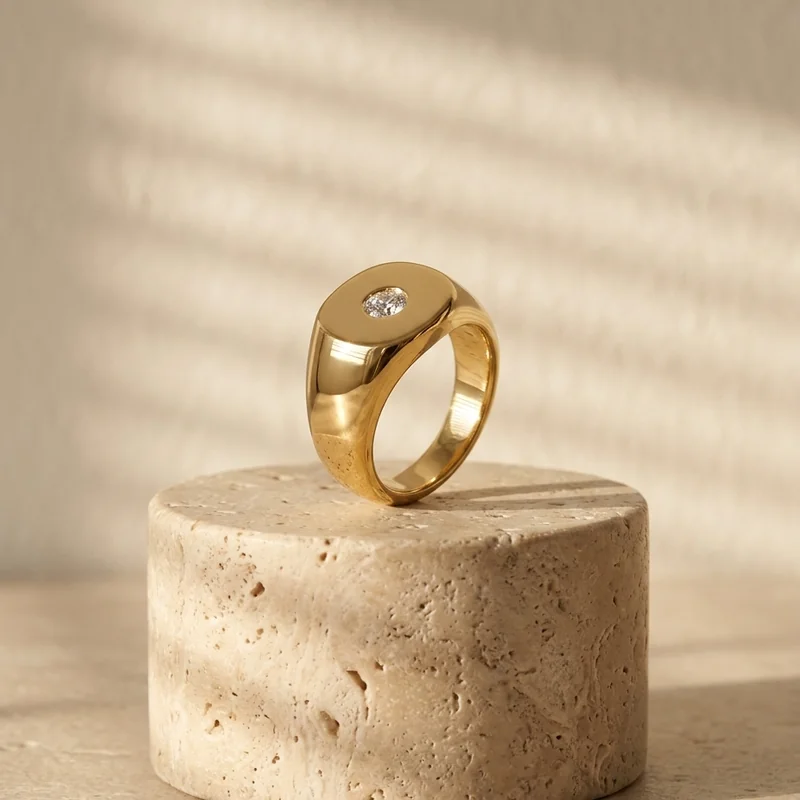
Studio-grade product shots with 23+ camera angles, marble pedestals, and natural lighting.
Free AI Shadow Maker
Generate physics-accurate contact and drop shadows for transparent product cutouts.
Free AI Pose Changer
Turn 1 fashion photo into 100+ high-fashion poses and multi-angle catalog lookbooks.
AI Fashion Model Generator
Dress diverse, photorealistic AI fashion models with zero expensive photoshoots.